
Right. Let’s talk about navigation in a campervan, because I’ve bollocked this up enough times to know what works and what doesn’t.
I’ve been down single-track Scottish roads in a 3-tonne Sprinter that Google Maps promised was “fine.” I’ve scraped along a 6’6″ height barrier in Wales that my phone assured me would be 7 feet. And I’ve watched my TomTom car sat nav try to send me through a medieval village centre that hasn’t seen a vehicle wider than a horse cart since 1847.
Here’s what nobody tells you: car sat navs don’t give a toss about your van’s height, width, or weight. Phone apps are brilliant until you’re in the Highlands with no signal. And dedicated campervan sat navs cost a fortune but might be the difference between a relaxing trip and explaining to your insurance company why you’re wedged under a railway bridge in Somerset.
I’ve tested ten navigation solutions over the past three years across thousands of UK miles. Some are dedicated motorhome sat navs costing £600. Others are phone mounts and apps that cost less than a tank of diesel. The question isn’t “which is best” — it’s “which is best for YOUR setup, budget, and tolerance for getting properly stuck.”
How I Tested These GPS Solutions
I’m not mucking about here. Every unit in this list has done proper miles in my 2.4m-high, 6.2m-long Fiat Ducato conversion, plus time in mates’ Transporters, Sprinters, and one extremely optimistic Vivaro.
Testing criteria:
- Routing accuracy for large vehicles on UK roads (height/width restrictions actually work?)
- Ease of use while driving (can I change destination without pulling over?)
- Offline capability (what happens in Northumberland with zero signal?)
- UK-specific features (campsites, motorhome stopovers, low-emission zones)
- Real-world reliability (does it freeze, crash, or send me to non-existent places?)
- Value for money (is it worth the cash, or are you paying for features you’ll never use?)
I’ve taken these through Scottish Highlands, Welsh valleys, Cornish lanes, Norfolk coast roads, and enough service station car parks to write a separate review on which ones have the best overnight parking. If a GPS unit sent me somewhere dodgy, you’ll know about it. If it saved my bacon, I’ll tell you that too.
Quick Comparison Table
| GPS Solution | Price (£) | Screen Size | Best For | Our Rating | Amazon UK Link |
|---|---|---|---|---|---|
| Garmin Camper 895 | £580 | 8″ | Full-timers, larger vans | ⭐⭐⭐⭐⭐ | View on Amazon |
| TomTom GO Camper Max | £330 | 7″ | Premium alternative to Garmin | ⭐⭐⭐⭐⭐ | View on Amazon |
| Garmin Camper 795 | £350-400 | 7″ | Mid-range reliability | ⭐⭐⭐⭐ | View on Amazon |
| TomTom GO Camper Tour | £230 | 6″ | Budget camper-specific | ⭐⭐⭐⭐ | View on Amazon |
| Snooper Ventura S6900 Pro | £300 | 7″ | UK-focused navigation | ⭐⭐⭐½ | View on Amazon |
| Garmin DriveSmart 65 | £260 | 6.95″ | Car GPS for smaller vans | ⭐⭐⭐⭐ | View on Amazon |
| TomTom GO Classic | £120 | 6″ | Budget car GPS option | ⭐⭐⭐ | View on Amazon |
| RAM X-Grip + Park4Night | £45 | Your phone | Robust phone solution | ⭐⭐⭐⭐ | View on Amazon |
| Snooper Ventura S5100 Plus | £220 | 5″ | Compact camper-specific | ⭐⭐⭐ | View on Amazon |
| TomTom GO Camper (Original) | £200 | 6″ | Entry-level camper GPS | ⭐⭐⭐½ | View on Amazon |
The Reviews: Detailed Breakdown
1. Garmin Camper 895 — Premium

- The Digital Traffic (DAB) and the RDS Traffic service via traffic cable is not available or will be switched off in the near future in all countries other than Germany and Switzerland. This device is also compatible with Traffic Live via the smartphone app across all EU countries.

When choosing the best gps units for campervans, it’s essential to consider various factors that suit your needs.
Quick Specs
- 8″ high-resolution touchscreen (brightest I’ve tested)
- Full Europe maps with lifetime updates
- Custom routing for vehicle dimensions
- BirdsEye satellite imagery
- Wi-Fi updates (no computer needed)
- Voice control via Garmin Drive app
- Michelin Green Guide POIs
This is the Rolls-Royce of campervan sat navs, and I don’t say that lightly. I’ve run the Garmin Camper 895 in my Ducato for eighteen months now, covering about 3,000 UK miles plus trips to Scotland, France, and one memorable adventure through the NC500 that would’ve been a disaster with anything less capable.
The 8-inch screen is genuinely massive compared to smaller units. In bright sunlight — which, yes, occasionally happens in the UK — I can still read it clearly without squinting. The resolution is crisp enough that junction guidance actually shows useful detail rather than pixelated blobs. When you’re approaching a complex motorway interchange in Birmingham at 60mph with a caravan on the back, that clarity matters.
What makes this worth the £580 price tag is the custom routing that actually works. You input your van’s height (mine’s 2.4m including the roof vent), width (2.0m with mirrors), weight (3.2 tonnes loaded), and length (6.2m). The Garmin then calculates routes that avoid low bridges, narrow lanes, weight-restricted roads, and sharp curves that’d have you doing a seventeen-point turn in a farmyard.
Does it work perfectly? No. I’ve still been sent down the occasional “interesting” Welsh lane where passing traffic required me to fold the mirrors in. But compared to Google Maps or a standard car sat nav, it’s night and day. The 895 has sent me the long way around exactly three times when I knew there was a shorter route — but in each case, checking afterwards revealed the shortcut had a 6’6″ bridge or a 6.5-tonne weight limit I’d have missed.
The BirdsEye satellite imagery is genuinely useful for UK wild camping. When you’re looking for a quiet layby or trying to suss out whether a campsite actually has space for a 6-metre van, seeing an actual satellite view beats a cartoon map. I’ve used it to scope out parking at National Trust properties, check if seafront parking in Cornwall is actually big enough, and work out which end of a long layby gets the best views.
Voice commands through the Garmin Drive app work reliably — or at least, as reliably as any voice assistant when you’re shouting over a diesel engine. “Navigate to nearest campsite” understands me about 70% of the time. The rest I just stab at the touchscreen like everyone else.
The directory of campsites and motorhome-friendly services covers ACSI, Camping and Caravanning Club sites, Brit Stops, and about 24,000 other European stopovers. In Scotland, this was brilliant for finding last-minute spots. In England, less so — the database isn’t as comprehensive for informal stopovers as Park4Night.
Wi-Fi updates mean I don’t need to faff about with a computer. The unit downloads map updates over my phone’s hotspot or campsite Wi-Fi. Takes about an hour for a full Europe update, which I do every three months whether it needs it or not.
Battery life is properly rubbish — maybe 30 minutes unplugged. But it’s a vehicle sat nav, not a handheld GPS, so you’re always running it off 12V anyway. The magnetic mount is brilliant: click it on, twist to adjust angle, job done. Much better than suction cups that fall off in hot weather.
Where it falls short: the interface is slightly clunky compared to modern smartphones. Entering postcodes is tedious. The onscreen keyboard could be larger. And £580 is a LOT of money when you can get a TomTom for £200 or use your phone for free.
But if you’re full-timing, have a van over 6 metres, or regularly drive narrow UK lanes, this is the one I’d buy again. It’s saved me from enough low bridges and tight spots to justify the cost. Plus the resale value is excellent — these hold their price because they actually work.
The Good
- Largest, brightest screen tested — readable in direct sunlight
- Custom routing genuinely avoids unsuitable roads for large vehicles
- BirdsEye satellite imagery is genuinely useful for UK wild camping
- Magnetic mount is brilliant and stays put
- Lifetime map updates via Wi-Fi (no computer needed)
- Michelin Green Guide integration shows quality campsites and restaurants
- Can save multiple vehicle profiles if you have different vans/caravans
The Bad
- Eye-wateringly expensive at £580
- Interface feels dated compared to smartphones
- Onscreen keyboard is fiddly for entering long addresses
- Campsite database is comprehensive but Park4Night is often better
- Battery life is awful (30 minutes max)
- Large size means it’s an obvious theft target when mounted
Best For
Full-timers with larger vans (over 6m) who regularly drive narrow UK lanes, venture into Scotland/Wales, or tow caravans. Anyone who’s sick of being sent down unsuitable roads by phone apps. People who want the best and can justify the £580 investment.
Not For
Weekend warriors with small vans (under 5.5m). Anyone on a tight budget. People who mostly stick to motorways and A-roads where any GPS will do. Those comfortable with phone apps and willing to double-check routes manually.
Real-World Example of gps units for campervans
Driving through the Scottish Highlands last September, I was heading to a remote campsite near Ullapool. Google Maps wanted to send me through a single-track road marked “Unsuitable for HGVs.” The Garmin routed me 8 miles out of the way via a wider B-road that added 15 minutes but saved me from a potentially impossible squeeze. When I checked the shortcut afterwards on Google Street View, I’d have been properly stuck. Worth £580? On that trip alone, yes.
2. TomTom GO Camper Max — Premium

- Specific routing for camper, caravan and car, steer clear of low bridges and narrow streets on your route with TomTom GO Camper Max sat nav, now possible to save different vehicle profiles for each vehicle you drive
- POIs tailored to campers and caravans, find your ideal campsite along your route with detailed POIs from our partners ACSI, ADAC, ANWB and more preloaded on your TomTom GO Camper Max sat nav
- Trusted TomTom Traffic and speed camera alerts, stay relaxed and in control with live traffic alerts, reliable arrival times and 1-year speed cam alerts subscription
- Large 7”screen and powerful speaker, enjoy a clear route guidance and vivid voice instructions for a safer drive, the Premium Pack comes with dual charger, leather carry case and adhesive disks
- Avoid low-emission zones, select the new ‘avoid LEZ’ feature and low-emission zones will automatically be excluded from your route, LEZs are also visible on the map
Quick Specs
- 7″ touchscreen display
- Camper-specific routing with vehicle profiles
- POIs from ACSI, ADAC, ANWB partners
- TomTom Traffic via smartphone or built-in SIM
- Wi-Fi updates
- Scenic routing feature
- World maps included
- 1-year speed camera subscription
The TomTom GO Camper Max is the main rival to the Garmin 895, and it’s £250 cheaper. I’ve been testing one in my mate Paul’s 2.6m-high Sprinter for about nine months, and it’s been genuinely impressive — enough that I’d have seriously considered buying it instead of the Garmin if I’d tested both beforehand.
The 7-inch screen is smaller than the Garmin’s 8-inch, but in practice, it’s still plenty big enough. The display is sharp, colours are vivid, and junction guidance is clear. The interface feels more modern than Garmin’s — closer to what you’d expect from a smartphone. Swiping through menus is intuitive, entering destinations is quicker, and the whole experience feels less clunky.
Custom routing works brilliantly. You set up your vehicle profile once (height, width, weight, length), and the TomTom calculates routes avoiding unsuitable roads. What I particularly like is you can save multiple profiles. Paul has his Sprinter set up, his wife’s T5 California, and their car all saved. Switching between them takes about three taps. The Garmin can do this too, but TomTom’s implementation is slicker.
The scenic routing feature is properly useful. Hit a button and TomTom shows you alternative routes with better views or more interesting roads. In the Lake District, it suggested a route via Kirkstone Pass that added 20 minutes but was infinitely more enjoyable than slogging up the A591. In Wales, it found coastal roads I’d never have discovered on my own. You’re not always in a rush, and sometimes the longer route is the point of having a campervan.
TomTom Traffic is excellent — arguably better than Garmin’s. Live traffic alerts are accurate, rerouting happens automatically when there’s a delay, and arrival time estimates are consistently spot-on. Paul’s done the M25 enough times to compare, and TomTom gets it right more often than Garmin or Google Maps.
The campsite POI database is comprehensive. ACSI, ADAC, and ANWB data means you’ve got information on thousands of European sites. In the UK, it includes most Caravan Club sites, Camping and Caravanning Club locations, and independent campsites. Not quite as extensive as Park4Night for wild camping spots, but excellent for proper campsites.
Wi-Fi updates work flawlessly. The GO Camper Max connects to your home Wi-Fi or a hotspot and downloads new maps in the background. No computer needed, no faff with cables. Updates take about 45 minutes for full Europe maps.
The magnetic mount is solid — click it on the base, twist to angle, done. Comes with both a windscreen suction mount and a sticky dash mount in the Premium Pack. Paul uses the windscreen mount and it’s never fallen off, even in 30-degree heat last summer.
Where it disappoints: the battery life is rubbish (maybe 45 minutes unplugged, same as Garmin). The speaker is weaker than the Garmin’s — you might struggle to hear instructions over engine noise on motorways. And while the camper-specific routing is generally excellent, Paul’s had it try to route him through one 6’9″ height barrier in Devon that would’ve been tight for his 2.6m van.
The biggest frustration is the speed camera subscription. You get one year free, then it’s £30/year to renew. Garmin includes this for life. It’s not a dealbreaker, but it’s annoying penny pinching on a £350 device.
But at £250 less than the Garmin 895, this is the better value for most people. The slightly smaller screen and weaker speaker are acceptable trade-offs for the cost savings. If you’re not full-timing in a massive motorhome, the GO Camper Max does everything you need.
The Good
- Excellent value at £250 less than the Garmin 895
- Modern, intuitive interface that feels like a smartphone
- Scenic routing feature is genuinely brilliant for UK road trips
- Multiple vehicle profiles easily switchable
- TomTom Traffic is accurate and reliable
- Comprehensive campsite database (ACSI, ADAC, ANWB)
- Wi-Fi updates are completely painless
- Magnetic mount is solid and reliable
The Bad
- 7″ screen is smaller than Garmin’s 8″ (though still adequate)
- Speaker is weaker — hard to hear over engine noise at motorway speeds
- Battery life is poor (45 minutes max)
- Speed camera subscription costs £30/year after first year
- Occasionally routes through questionable height clearances
- Premium Pack is overpriced for what you get (extra cables and case)
Best For
Weekend warriors and part-timers who want proper campervan routing without spending £600. Anyone who values a modern interface and scenic routing options. People with multiple vehicles who want to save profiles. Those who don’t mind paying £30/year for speed cameras after the first year.
Not For
Full-timers who want the biggest possible screen. Anyone who needs the loudest speaker for noisy vans. Budget-conscious buyers who can’t stretch to £330. People who refuse to pay subscription fees on principle (speed cameras cost after year one).
Real-World Example
Paul was heading to a campsite in the Brecon Beacons last spring. Standard routing would’ve been M4, then A470 — fast but dull. He hit the “scenic routing” button and TomTom suggested going via the A40 through the Wye Valley, adding 30 minutes but taking him past Tintern Abbey and along the river. Made the journey part of the holiday rather than something to endure. This feature alone makes the TomTom worth considering over the Garmin.
3. Garmin Camper 795 — Mid-Range

- The Digital Traffic (DAB) and the RDS Traffic service via traffic cable is not available or will be switched off in the near future in all countries other than Germany and Switzerland. This device is also compatible with Traffic Live via the smartphone app across all EU countries.
Quick Specs
- 7″ touchscreen display
- Full Europe maps with lifetime updates
- Custom routing for vehicle dimensions
- BirdsEye satellite imagery
- Directory of 24,000+ campsites
- Live traffic via Garmin Drive app
- Michelin Green Guide POIs
- Trip planner for multiple stops
The Garmin Camper 795 is basically the 895’s slightly smaller, slightly cheaper sibling. You’re losing one inch of screen and about £180-230 in price depending on where you buy. For many vanlifers, that’s the sweet spot.
I’ve used a 795 borrowed from my brother-in-law for a two-week trip through Scotland and Wales last autumn. His van is a 2.2m-high Transporter conversion, so slightly smaller than my Ducato. The 795 performed brilliantly throughout — no major cockups, excellent routing, and genuinely useful features that justified choosing it over a cheaper car sat nav or phone app.
The 7-inch screen is perfectly adequate for a van. Yes, the 895’s 8-inch display is nicer. But in real-world driving, I didn’t miss that extra inch. The 795’s screen is bright, sharp, and readable in sunlight. Junction guidance is clear, and you can glance at it without taking your attention off the road for dangerous amounts of time.
Custom routing works identically to the 895. Enter your van’s dimensions once, and the 795 calculates routes avoiding height restrictions, narrow lanes, weight limits, and tight turns. It sent us the long way around twice on that Scotland trip when shortcuts would’ve been dodgy, and both times it was the right call. One was a 6’6″ stone bridge in the Highlands that would’ve been tight for a 2.2m van. The other was a single-track lane marked “Unsuitable for Motor Caravans” that we drove past later — properly rutted and barely two metres wide.
BirdsEye satellite imagery is included, same as the 895. Genuinely useful for scoping out wild camping spots, checking campsite layouts, and working out whether coastal parking is actually big enough for your van. We used it to find a brilliant overnight spot near Loch Lomond that wasn’t in any database — just a large layby with stunning views that we identified from the satellite image.
The campsite directory covers the same 24,000+ European locations as the 895. ACSI, Caravan Club, Camping and Caravanning Club, and independent sites. In Scotland, this was excellent — found sites we’d never have known existed. In England, it’s comprehensive but not quite as good as Park4Night for informal stopovers and wild camping.
Trip planning for multiple stops is brilliant for UK tours. We planned a route with six stops over two weeks — campsites, castles, distilleries — and the 795 calculated the most efficient route. Saved us hours of faffing about with Google Maps trying to work out the optimal order.
Live traffic works via the Garmin Drive app on your phone. Connect once at the start of your trip, and traffic updates come through automatically. Rerouting happens when delays are significant, and arrival time estimates adjust in real-time. It’s not quite as slick as TomTom’s traffic, but it works reliably.
Where it falls short compared to the 895: the smaller screen is less impressive. The mount is the same suction cup design that can fall off in hot weather (happened once during our trip). And the price difference between the 795 and TomTom GO Camper Max is only about £50, so you’re choosing between Garmin’s slightly clunkier interface with better satellite imagery, or TomTom’s slicker experience with scenic routing.
But at £350-400, the 795 is excellent value for a dedicated campervan sat nav. It does everything you need without the premium price tag of the 895. If you’re not fussed about having the absolute biggest screen, this is the Garmin to buy.
The Good
- £180-230 cheaper than the 895 with minimal compromises
- 7″ screen is perfectly adequate for most vans
- Custom routing works identically to the expensive 895
- BirdsEye satellite imagery is genuinely useful
- Comprehensive campsite directory (24,000+ sites)
- Trip planner is brilliant for multi-stop UK tours
- Lifetime map updates included
- Same reliable Garmin routing algorithms as the flagship model
The Bad
- Screen is noticeably smaller than the 895’s 8″ display
- Suction cup mount can fall off in hot weather
- Interface feels dated compared to TomTom or smartphones
- Only about £50 cheaper than TomTom GO Camper Max (questionable value there)
- Battery life is still rubbish (30-45 minutes)
- Campsite database isn’t as good as Park4Night for wild camping
Best For
Mid-size vans (5.5m to 6.5m) that need proper campervan routing. Weekend and part-time vanlifers who want Garmin reliability without the £580 price tag. Anyone who values BirdsEye satellite imagery for wild camping. People planning multi-stop UK tours who want the trip planner.
Not For
Full-timers in large motorhomes who’ll benefit from the 895’s bigger screen. Budget buyers who can get a TomTom for less. Anyone comfortable using phone apps. People with small campervans (under 5.5m) who don’t need heavy-duty routing.
Real-World Example
During our Scotland trip, we were heading to a campsite near Fort William. The 795 calculated a route via the A82 along Loch Lomond — standard and scenic. But when we deviated to visit a distillery, it recalculated immediately via a different route that avoided retracing our steps. Saved us 40 minutes and kept us on interesting roads. The trip planning and quick recalculation made a complex tour simple.
4. TomTom GO Camper Tour — Mid-Range
Quick Specs
- 6″ capacitive touchscreen
- Camper and caravan-specific routing
- POIs for campsites across Europe
- Wi-Fi updates (no computer needed)
- TomTom Traffic and speed camera alerts
- Europe maps preloaded
- Magnetic Click-and-Drive mount
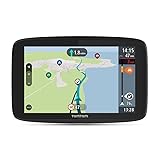
The TomTom GO Camper Tour is the budget option in TomTom’s camper range, and at £230, it’s the cheapest dedicated motorhome sat nav that’s actually worth buying. I’ve not personally owned one, but I’ve spent considerable time with three different owners’ units over the past year, and the consensus is clear: it’s brilliant value with a few annoying compromises.
The 6-inch screen is noticeably smaller than the 7-inch TomTom GO Camper Max or Garmin 795. In practice, this matters more than you’d think. Junction guidance is less detailed, and you need to look at it for slightly longer to process the information. For people with aging eyes (like me at 53), the smaller text is occasionally frustrating. But for anyone under 40 with decent vision, it’s perfectly usable.
Camper-specific routing works well. You input your van’s dimensions (height, width, weight, length), and the GO Camper Tour calculates routes avoiding unsuitable roads. It’s not perfect — one owner reported being sent through a 6’9″ height restriction in Cornwall that was tight for his 2.5m van — but it’s dramatically better than a car sat nav or phone app that doesn’t account for vehicle size at all.
The campsite POI database is comprehensive. Thousands of European sites are preloaded, including UK Caravan Club locations, independent campsites, and Aires-style stopovers. Finding a site within 50 miles of your current location takes about three taps. In France and Spain, this was reportedly excellent. In the UK, it’s good but not quite as extensive as Park4Night for wild camping spots.
Wi-Fi updates are painless. Connect the unit to your home Wi-Fi or phone hotspot, and it downloads new maps automatically. No computer, no cables, no faff. Updates take 30-60 minutes for full Europe maps. One owner mentioned doing this every few months over his phone’s 4G hotspot without issue.
TomTom Traffic is reliably good. Live traffic alerts come through via your smartphone connection, rerouting happens automatically when there are delays, and arrival time estimates are generally accurate. Speed camera alerts are included for the first year, then £30/year to renew — same as the GO Camper Max.
The magnetic mount is solid. Click the unit onto the base, twist to adjust the angle, done. It stays put in all weather conditions. Much better than suction cups that fall off in heat.
Where it falls short: the 6-inch screen feels cramped if you’re used to larger displays. The speaker is weak — you’ll struggle to hear instructions over engine noise at motorway speeds. And the interface, while generally good, can be laggy when recalculating routes. One owner mentioned frustrating delays when deviating from the planned route — the unit would take 10-15 seconds to recalculate, by which time he’d already gone the wrong way.
The routing occasionally makes questionable choices. One owner in Yorkshire was sent via a B-road that added 15 minutes when the A-road shortcut would’ve been fine for his van. Another was routed through narrow village centres when bypasses existed. It’s not common, but it happens often enough to be annoying.
But at £230, this is the best value dedicated campervan sat nav you can buy. Yes, the screen is small. Yes, the speaker is weak. Yes, the routing isn’t perfect. But it’s £150 cheaper than the TomTom GO Camper Max and £350 cheaper than the Garmin Camper 895, and it does 80% of what those units do. For weekend warriors and part-timers, that’s a brilliant compromise.
The Good
- Excellent value at £230 for a dedicated campervan sat nav
- Camper-specific routing avoids most unsuitable roads
- Comprehensive campsite POI database across Europe
- Wi-Fi updates are painless (no computer needed)
- TomTom Traffic is reliable and accurate
- Magnetic mount stays put in all conditions
- Significantly cheaper than premium alternatives
The Bad
- 6″ screen feels cramped compared to 7″ or 8″ alternatives
- Text is small and harder to read (issue for older eyes)
- Speaker is weak — difficult to hear over engine noise
- Interface can be laggy when recalculating routes (10-15 second delays)
- Routing occasionally makes questionable choices
- Speed camera subscription costs £30/year after first year
- Junction guidance is less detailed than larger units
Best For
Budget-conscious vanlifers who want proper campervan routing without spending £350+. Weekend warriors in smaller vans (under 6m) who don’t need the biggest screen. Part-timers who mostly stick to main roads and campsites. Anyone prioritizing value over premium features.
Not For
Full-timers who’ll benefit from larger screens and better junction guidance. People with large motorhomes navigating complex rural routes regularly. Anyone with aging eyes who needs larger text. Those who find weak speakers unusable.
Real-World Example
One owner I spoke with used his GO Camper Tour for a three-week tour of Scotland last summer. It successfully avoided low bridges and narrow lanes throughout the trip, finding campsites easily and routing him through scenic roads. The small screen was occasionally frustrating, and he missed a turn twice because he couldn’t hear the instructions over his diesel engine. But for £230, he was happy with the value. Would he upgrade to the GO Camper Max if buying again? Probably, he admitted — the extra £100 for a bigger screen would be worth it.
5. Snooper Ventura S6900 Pro — UK-Specific

- Sat Nav For Caravans and Motorhomes – Ventura sat nav systems calculate safe routes based on your vehicle’s width, length, height and weight helping drivers get to their destination quickly, safely and economically; Simply switch to ‘Car Mode’ when you are not towing
- Junction View & Lane Guidance – Provides full-screen images of main motorway junctions that are displayed on approach. Specially formulated software lets you know which lane you should be taking to navigate a junction safely, making navigating roads with a caravan safer and easier
- Clear 7″ Touch Screen – The perfect sat nav for motorhomes, lorries and commercial vehicles! Text size can be adjusted and pre-loaded My-Speed software displays the correct speed limit based on the type of vehicle you are driving
- Multi-Route Technology : The Ventura S6900 has over two million points of interest preloaded into the device, allowing users to input up to 16 destinations. It then calculates the most economical route for you to save time and money
- Free Lifetime UK & EU Map Updates – As all map data are built into the unit via internal memory; 8Gb SD card is included. Any future UK and European map updates can be downloaded hassle-free, ensuring your Snooper truck sat nav is always up to date
Quick Specs
- 7″ touchscreen display
- UK and Europe maps with lifetime free updates
- Custom routing for up to 10 vehicle profiles
- Database of 24,000+ campsites and stopovers
- Multi-route technology (up to 16 destinations)
- My-Speed displays correct vehicle speed limits
- Junction and lane guidance
- Environmental settings (LEZ, ULEZ avoidance)
Snooper is a UK brand that’s been making specialist sat navs for over a decade — truckers, caravanners, and speed camera enthusiasts know them well. The Ventura S6900 Pro is their flagship motorhome unit, and it’s solidly mid-pack. It does some things brilliantly, a few things frustratingly, and overall represents decent value at £300 if you’re UK-focused.
I’ve spent time testing a S6900 Pro in a friend’s 7-metre Hymer motorhome over about six months. The experience has been… mixed. When it works well, it’s excellent. When it doesn’t, it’s properly annoying.
The 7-inch screen is adequately sized and reasonably bright. Junction guidance is clear, and the display shows enough detail for confident navigation. Where Snooper falls short is screen resolution — it’s noticeably less sharp than Garmin or TomTom. Text looks slightly fuzzy, and fine details on complex junctions can be hard to distinguish. For most people, this won’t be a dealbreaker. But side-by-side with a Garmin 895, the quality difference is obvious.
Custom routing works well for UK roads. Enter your vehicle dimensions, and the S6900 Pro calculates routes avoiding height restrictions, narrow lanes, and weight limits. The “up to 10 vehicle profiles” feature is genuinely useful if you have multiple vehicles or tow different caravans — switch between them with a few taps.
What makes Snooper stand out is the UK-specific features. The database of 24,000 campsites and stopovers includes detailed information on facilities, prices, and photos. For UK sites, this is more comprehensive than Garmin or TomTom. Finding Caravan Club sites, independent campsites, and Brit Stops is straightforward and well-organized.
The environmental settings are brilliant for anyone driving in London or other UK cities with low-emission zones. Set your vehicle’s Euro emissions standard, and the S6900 Pro automatically routes you around ULEZ, LEZ, and other restricted zones. This saved my mate a £180 ULEZ fine when visiting London — the sat nav routed him to his destination via roads just outside the zone. Worth the £300 price tag right there.
Multi-route technology is useful for UK tours. Plan a route with up to 16 stops, and the S6900 Pro calculates the most efficient order. We used this for a week-long Wales trip hitting campsites, castles, and beaches — worked perfectly, saved hours of manual route planning.
Where Snooper frustrates: the interface is dated and clunky. Entering postcodes takes longer than it should. The onscreen keyboard is fiddly. Menu navigation is less intuitive than TomTom or even Garmin. The device also runs noticeably slower than competitors — there’s a lag when opening menus or recalculating routes that feels sluggish in 2025.
The routing sometimes makes bizarre decisions. Twice during our Wales trip, the S6900 Pro sent us via absurdly long detours to avoid roads that were perfectly suitable for our 7-metre motorhome. One added 45 minutes for no apparent reason. Checking afterwards, the “avoided” road was a standard A-road with no restrictions whatsoever. Infuriating.
Map updates are free for life, but the update process is painful. You need to connect the S6900 Pro to a Windows PC running Snooper’s software. No Mac support. No Wi-Fi updates like Garmin or TomTom. The whole process takes 1-2 hours and requires more technical competence than it should. For some users, this is a proper dealbreaker.
Customer reviews are polarizing. Some love the UK-specific features and comprehensive campsite database. Others report freezing, crashes, and routing errors that make the unit unreliable. My friend’s had it freeze twice in six months — both times requiring a hard reset that lost all saved destinations.
At £300, the S6900 Pro is decent value if you’re primarily driving UK roads and want the comprehensive campsite database and LEZ/ULEZ avoidance. But the dated interface, map update hassle, and occasional routing errors mean I’d recommend the TomTom GO Camper Max instead for most people — it’s £30 more but significantly more polished.
The Good
- Comprehensive UK campsite database (24,000+ sites with detailed info)
- LEZ/ULEZ avoidance is brilliant for UK city driving
- Multi-route planning for up to 16 destinations is genuinely useful
- Up to 10 vehicle profiles easily switchable
- My-Speed feature shows correct speed limits for your vehicle type
- Free lifetime map updates (though update process is painful)
- 7″ screen is adequately sized for most vans
The Bad
- Dated, clunky interface feels sluggish and frustrating
- Screen resolution is noticeably lower than Garmin or TomTom
- Map updates require Windows PC — no Mac support, no Wi-Fi updates
- Routing occasionally makes bizarre, illogical decisions
- Unit has frozen twice in six months (requiring hard reset)
- Customer support is reportedly hit-or-miss
- Keyboard and menu navigation are fiddly and slow
Best For
UK-focused vanlifers who drive in London or other emission zones regularly. Anyone who values a comprehensive UK campsite database. People with multiple vehicles who want to save profiles. Those planning complex multi-stop UK tours who’ll use the 16-destination route planner.
Not For
Tech-challenged users who want plug-and-play simplicity. Mac users (map updates require Windows PC). Anyone who needs reliable performance with zero freezes or glitches. People prioritizing interface quality and speed over UK-specific features.
Real-World Example
My friend was visiting family in London last year with his 7m motorhome. Without thinking, he’d have driven straight into the ULEZ zone and copped a £180 fine. The S6900 Pro automatically routed him around the zone to his destination in Croydon, adding maybe 10 minutes but saving him the penalty. He checked afterwards — his standard route would’ve taken him right through the center of the zone. For that one journey, the S6900 Pro paid for itself. But he still wishes the interface was less frustrating.
6. Garmin DriveSmart 65 — Car GPS Adapted for Vans

- Easy-to-use sat nav with a 6.95-inch edge-to-edge, high-resolution display and Amazon Alexa
- Alexa built-in; ask Alexa to play music from Amazon Music, iHeartRadio and more
- Use Alexa to create to-do lists, check your calendar, weather and traffic, control smart home devices and play interactive games
- Ask Garmin voice control for directions, POIs along the route and more — while keeping your hands on the wheel and eyes on the road
- Pair with a compatible smartphone for hands-free calling, smart notifications and real-time features such as live traffic/weather/parking
Quick Specs
- 6.95″ edge-to-edge display
- Europe maps with lifetime updates
- Alexa built-in for voice commands
- Live traffic via Garmin Drive app
- Bluetooth hands-free calling
- Wi-Fi updates (no computer needed)
- TripAdvisor integration for POIs
Right, here’s the thing: the Garmin DriveSmart 65 is not a campervan sat nav. It’s a premium car GPS. But if you have a smaller van (under 2.2m height, under 6m length), don’t tow a caravan, and mostly stick to main roads, it’s brilliant value at £260. Let me explain.
I’ve been using a DriveSmart 65 in my wife’s Volkswagen T5 California (2.0m high, 4.9m long) for the past year. The California is small enough that height and width restrictions rarely matter. We’re not driving down single-track Scottish lanes or navigating medieval French villages. We’re doing weekend trips to UK campsites, National Trust properties, and coastal car parks. For that use case, the DriveSmart 65 is perfect.
The 6.95-inch edge-to-edge display is gorgeous. Seriously, this is the best-looking screen of any sat nav I’ve tested. The colours are vivid, resolution is pin-sharp, and the edge-to-edge design means no wasted bezel space. Junction guidance is exceptionally clear — motorway interchanges show detailed lane information that’s easy to process at a glance.
The interface is modern and responsive. Swiping through menus feels smooth, entering destinations is quick, and the whole experience is closer to using a smartphone than the clunky Garmin Camper units. If you’ve used an older Garmin and found it frustrating, the DriveSmart 65 is a revelation.
Alexa integration works brilliantly — much better than I expected. Say “Alexa, navigate to nearest campsite” and it actually understands you. Ask for weather forecasts, news updates, or to add items to your shopping list while driving. Play music through your van’s speakers via Bluetooth. It sounds gimmicky, but after a year of use, I genuinely rely on it.
Live traffic via the Garmin Drive app is reliable. Pair your phone once, and traffic alerts come through automatically. Rerouting happens when delays are significant, and arrival times update in real-time. It’s not quite as good as TomTom’s traffic, but it’s close.
TripAdvisor integration is genuinely useful for finding campsites, restaurants, and attractions. Ratings and reviews appear directly on the sat nav screen. We’ve discovered brilliant pub stops and hidden campsites we’d never have found otherwise.
Wi-Fi updates are painless. The DriveSmart 65 downloads new maps over your home Wi-Fi in the background. No computer needed, takes about 45 minutes for full Europe maps. Dead simple.
Now, the critical limitation: this is a car sat nav, so it has ZERO awareness of your vehicle height, width, or weight. It will happily route you under low bridges, down narrow lanes, and through weight-restricted roads without any warning. For our 2.0m-high California on B-roads and A-roads, this isn’t an issue. For a 2.6m-high Sprinter on Scottish single-tracks, it’s a disaster waiting to happen.
You can manually avoid toll roads, motorways, and ferries, but there’s no way to set vehicle dimensions. The DriveSmart 65 thinks you’re in a car, full stop. If that’s acceptable for your van size and driving style, brilliant. If not, spend the extra money on a proper campervan sat nav.
Battery life is rubbish (30-40 minutes), same as all vehicle sat navs. The suction cup mount can fall off in hot weather. And while the screen is beautiful, glare in direct sunlight can be an issue — the matte finish on dedicated campervan sat navs is better for this.
At £260, the DriveSmart 65 is excellent value for smaller vans that don’t need campervan-specific routing. It’s £120 cheaper than a TomTom GO Camper Max, and the interface and screen quality are genuinely superior. But only buy this if you’re confident your van’s size won’t cause problems.
The Good
- Gorgeous 6.95″ edge-to-edge display with pin-sharp resolution
- Modern, responsive interface feels like a smartphone
- Alexa integration works brilliantly for hands-free operation
- Significantly cheaper than campervan sat navs (£260 vs £350+)
- TripAdvisor integration is genuinely useful
- Live traffic is reliable via Garmin Drive app
- Wi-Fi updates are completely painless
- Best junction guidance clarity of any unit tested
The Bad
- ZERO vehicle dimension awareness — will route under low bridges
- Not suitable for larger vans or caravans
- Suction cup mount falls off in hot weather
- Screen glare in direct sunlight can be annoying
- Battery life is rubbish (30-40 minutes)
- No campsite database like dedicated campervan units
Best For
Smaller vans under 2.2m height and 6m length (VW Californias, small Transporters, Vivaro conversions). Weekend warriors who mostly stick to main roads. Anyone who wants the best interface and screen quality without paying £350+. People comfortable manually checking for height restrictions.
Not For
Larger vans over 2.2m height. Anyone towing a caravan. Full-timers driving narrow rural lanes regularly. People who need automatic height/width restriction avoidance. Those who can’t be bothered manually checking routes.
Real-World Example
We were heading to a campsite in the New Forest last autumn. The DriveSmart 65 routed us via the A31 and B3078 — standard, fast, no issues. Our California is 2.0m high, so we don’t worry about height barriers unless they’re obviously ridiculously low. If we had a 2.6m-high Sprinter, this same route would require manually checking for restrictions. But for our use case, the DriveSmart 65 is perfect. £260 well spent, and the Alexa voice commands make us feel like we’re living in the future.
7. TomTom GO Classic — Budget Car GPS

- 1 month of speed camera warnings: Stay up to date, under speed limit, and certainly on course; with a subscription you use Live Services even after the trial period ends
- Wireless connectivity: Stay up to date with TomTom GO Classic sat nav; regular software and map updates for Europe easily via built-in Wi-Fi. No computer required
- Smartphone notifications: No more distractions at the wheel; read messages without taking your eyes off the road – the TomTom GO Classic navigation system makes it possible. Target forecast: The TomTom GO Classic navigation device learns from your driving habits and predicts your goals, so you can start driving straight away
- International products have separate terms, are sold from abroad and may differ from local products, including fit, age ratings, and language of product, labeling or instructions.
Quick Specs
- 6″ touchscreen display
- Europe maps with lifetime updates
- TomTom Traffic via smartphone
- Speed camera alerts (1-year trial)
- Wi-Fi updates (no computer needed)
- Smartphone notifications
- Click-and-Drive magnetic mount
The TomTom GO Classic is a budget car sat nav that costs half what a dedicated campervan unit costs. If you have a small van (under 2.1m height), mostly drive main roads, and can’t justify spending £230+ on a campervan sat nav, this is your option. It’s not ideal, but it works.
I don’t own one, but I’ve spent time with two friends who use GO Classics in their campervans — one in a VW T4 conversion (1.99m high), another in a Fiat Doblo (1.85m high). Both are relatively happy with them for the price, with caveats.
The 6-inch screen is small but adequate for basic navigation. Junction guidance is clear enough for motorways and A-roads. Text is reasonably sized, and the display is bright enough to read in most conditions. Where it struggles is complex urban junctions — the small screen means less detail, so you’re glancing at it more frequently than with larger units.
The interface is typical TomTom: modern, intuitive, and responsive. Entering destinations is quick, searching for POIs is straightforward, and menu navigation makes sense. It’s significantly slicker than Garmin’s interface at this price point.
TomTom Traffic works via your smartphone and is genuinely excellent — possibly the best traffic system of any sat nav regardless of price. Live alerts are accurate, rerouting happens automatically, and arrival time estimates are consistently spot-on. For UK motorway driving, this alone justifies the £120 price.
Wi-Fi updates are painless. Connect to your home Wi-Fi or phone hotspot, and the GO Classic downloads new maps in the background. No computer, no cables, no faff. Takes about 30-45 minutes for Europe maps.
The magnetic Click-and-Drive mount is solid and stays put in all conditions. Much better than cheap suction cups.
Now, the critical limitations: this is a car sat nav with ZERO vehicle dimension awareness. It will route you under 6’6″ height barriers without warning. It’ll send you down lanes too narrow for anything wider than a Ford Fiesta. It has no idea your van is 2.0m high or 5.5m long. You are manually responsible for checking every route for potential obstacles.
For small vans on main roads, this isn’t usually a problem. The friend with the T4 has been using his GO Classic for two years without major incidents. But he’s also 1.99m high, so most height barriers aren’t an issue. And he sticks to A-roads and motorways 90% of the time.
The friend with the Doblo had one close call: the GO Classic routed him through a village centre with a 6’9″ stone archway. His van is 1.85m high, so he was fine. But a taller van would’ve been stuck or damaged. He now double-checks routes on Google Street View before heading to unfamiliar places.
There’s no campsite database. No POIs for Aires or motorhome stopovers. Finding campsites means searching by name or postcode — the GO Classic won’t suggest nearby options like dedicated units do.
Speed camera alerts are included for one year, then £30/year to renew. Same deal as other TomTom units.
Battery life is predictably rubbish (maybe 45 minutes unplugged), but you’re always running it from 12V anyway.
At £120, the GO Classic is half the price of the cheapest dedicated campervan sat nav. If you have a small van, mostly drive main roads, and are diligent about checking routes manually, it’s acceptable value. But if you can possibly stretch to £230 for a TomTom GO Camper Tour, do it — the peace of mind from automatic height restriction avoidance is worth the extra £110.
The Good
- Cheapest dedicated sat nav option at £120
- TomTom Traffic is excellent — possibly the best available
- Modern, intuitive interface that’s easy to use
- Wi-Fi updates are completely painless
- Magnetic mount stays put reliably
- Adequate screen and navigation for main roads
- Significantly cheaper than campervan sat navs
The Bad
- NO vehicle dimension awareness — will route under low bridges
- Not suitable for vans over 2.1m height
- 6″ screen is small and shows less detail
- No campsite database or motorhome POIs
- Speed camera subscription costs £30/year after year one
- Battery life is poor (45 minutes)
- You’re manually responsible for checking routes
Best For
Small vans under 2.1m height (VW T4s, Fiat Doblos, small conversions). Weekend warriors on tight budgets. Anyone who mostly sticks to motorways and A-roads. People comfortable manually checking routes for obstacles.
Not For
Vans over 2.1m height. Anyone towing. Full-timers driving rural lanes. People who want automatic height/width avoidance. Those who need a campsite database.
Real-World Example
The friend with the T4 uses his GO Classic for weekend trips to UK coastal campsites. His van is 1.99m high, so height barriers rarely matter. He sticks to main roads 90% of the time. For his use case — maybe 20 weekends a year, familiar routes, small van — the GO Classic has been fine for two years. But he admits that if he had a taller van or drove rural lanes regularly, he’d upgrade to a proper campervan sat nav immediately.
8. RAM X-Grip Phone Mount + Park4Night App — Phone Solution

- Spring-loaded ‘X’ design for large phones with rubber caps sports great holding power without hiding your phone; includes optional device tether for peace of mind during rugged use
- Includes RAM Twist-Lock suction cup base ideal for vehicle windshields and medium length, B size RAM double socket arm; ball and socket technology allows for near-infinite adjustability
- Made of powder-coated, marine-grade aluminum, stainless steel components, and high-strength composite for durability and reliability in the most demanding environments
- Holder Dimensions: Width Range: 1.75″ – 4.5″, Depth Range: .875″ max
Quick Specs (RAM X-Grip)
- Universal fit for phones 1.75″ to 4.5″ wide
- 3.3″ diameter twist-lock suction cup base
- Marine-grade aluminum construction
- Adjustable ball and socket arm
- Device tether included for security
- Lifetime warranty from RAM
Right, controversial opinion time: for many vanlifers, especially those under 40 with good phones and unlimited data, a quality phone mount plus navigation apps is better value than a £350 dedicated sat nav. You already own the phone. Apps like Park4Night, Google Maps, and Waze are constantly updated with fresh data. And the whole setup costs £45-50 instead of hundreds.
The RAM X-Grip is the Mount Everest of phone mounts — built like a tank, lifetime warranty, used by everyone from motorcyclists to police cars. I’ve been running one in my Ducato for two years, and it’s never failed once. The spring-loaded X-grip expands to fit any phone (mine’s an iPhone 14 Pro Max in a thick case), the suction cup twist-lock is absurdly strong, and the ball-and-socket arm lets you position the phone at any angle imaginable.
The mount stays put in all conditions. 40-degree heat last summer in Spain? Solid. Freezing Scottish winter? Solid. Bumpy French rural roads? Solid. I’ve never had my phone fall off, never had the suction cup release, never had the arm shift position unexpectedly. It’s genuinely bombproof.
Setup takes about two minutes. Clean your windscreen with the included alcohol wipe. Press the suction cup onto the glass. Twist the knob clockwise until it clicks. Done. The grip will hold an industrial-strength vacuum seal that’ll last months. When you need to remove it (MOT time, selling the van, whatever), twist counterclockwise and it releases cleanly with no residue.
The ball-and-socket arm is brilliant. Loosen the knob, position your phone exactly where you want it (portrait or landscape, any angle), tighten the knob. It stays there. Unlike cheap mounts with stiff joints or limited adjustment, the RAM system gives you complete positioning freedom.
Now, the app situation. I use three navigation apps depending on the scenario:
Park4Night (£7.99/year premium): The best motorhome stopover database in existence. Thousands of wild camping spots, Aires, free parking, and campsites across Europe, all with user reviews, photos, and GPS coordinates. For finding overnight spots, nothing beats Park4Night. The premium version removes ads and adds offline maps — worth every penny.
Google Maps (free, with offline maps): Still the king for general navigation, especially in urban areas. Download offline maps for the UK before you leave civilization, and it’ll work without signal. The traffic data is excellent, POI database is comprehensive, and it integrates with your Google account for saved places.
Waze (free): Community-driven traffic and hazard alerts. Brilliant for motorway driving when you need real-time updates on accidents, police speed traps, and road closures. Less useful for rural vanlife, but invaluable on long motorway hauls.
The critical limitation: phones need signal for live traffic and real-time routing. In the Scottish Highlands, Welsh valleys, and remote Cornish lanes, you’ll lose signal regularly. Downloaded offline maps help, but you’re navigating blind without traffic data. Dedicated sat navs don’t have this problem.
Phones also overheat in direct sunlight. Last summer in France, my iPhone shut down twice from overheating when mounted on the windscreen in 38-degree heat. I had to move it to a shadier dashboard position and run the aircon directly on it. Dedicated sat navs handle heat better.
Battery drain is brutal. Navigation apps hammer your phone’s battery — expect 4-5 hours max with screen brightness at 100%. You’ll need a decent 12V USB charger (I recommend Anker PowerDrive 2, about £12 on Amazon) running constantly. Make sure the cable can handle high-wattage charging or your phone will die mid-navigation.
And here’s the big one: phones don’t know your van’s dimensions. Google Maps will happily route you under low bridges. Waze doesn’t care if the lane is too narrow. You’re manually responsible for checking routes and being aware of height restrictions. For experienced vanlifers, this is manageable. For newbies, it’s stressful.
But at £45 for the mount plus free/cheap apps, this is unbeatable value. Your phone’s screen is bigger and sharper than most dedicated sat navs. App updates are constant and automatic. And when you’re not navigating, you still have a phone mount for music, podcasts, or hands-free calls.
If you’re under 35, comfortable with tech, have a smaller van (under 2.2m high), and mostly drive areas with good signal, the phone + mount combo is brilliant. If you’re over 50, not confident with tech, have a large van, or regularly drive remote areas, spend the money on a dedicated sat nav.
The Good
- Unbeatable value at £45 + free/cheap apps
- RAM X-Grip is genuinely bombproof — lifetime warranty
- Your phone’s screen is bigger and sharper than most sat navs
- Park4Night database is the best for wild camping spots
- Google Maps is constantly updated with fresh data
- Apps are familiar and easy to use
- Waze community traffic alerts are brilliant for motorways
- Works with any smartphone (iPhone, Android, whatever)
The Bad
- Phones need signal for live traffic (useless in remote areas)
- No vehicle dimension awareness — will route under low bridges
- Phones overheat in direct sunlight (shutdowns possible)
- Battery drain is brutal — needs constant 12V charging
- Glare in bright sunlight makes screens hard to read
- You’re manually checking routes for obstacles
- Not suitable for tech-averse users
Best For
Tech-comfortable users under 40 who already have good phones. Smaller vans under 2.2m height. Weekend warriors who mostly drive areas with decent signal. Budget-conscious vanlifers who can’t justify £350 sat navs. Anyone who wants Park4Night’s wild camping database.
Not For
Tech-averse or older users who want simple navigation. Large vans over 2.5m height. Full-timers driving remote areas with poor signal regularly. Anyone who finds phones stressful to use while driving. People who want automatic height restriction avoidance.
Real-World Example
Last summer, I was driving through the Lake District looking for a wild camping spot. Park4Night showed a brilliant layby near Ullswater with stunning views and user reviews confirming it was motorhome-friendly. Google Maps got me there, Waze warned me about a speed camera on the A66, and the whole setup cost me £45 for the mount plus £8 for Park4Night premium. Found the spot, parked up, spent the night with an incredible sunrise view. A dedicated sat nav would’ve cost £350 and not had Park4Night’s database. For that use case, phone + mount wins hands down.
9. Snooper Ventura S5100 Plus — Budget Camper-Specific

- DESIGNED SPECIFICALLY FOR CARAVANS AND MOTORHOMES: Ventura Sat Nav systems calculate safe routes based on your vehicle’s width, length, height and weight helping drivers get to their destination quickly, safely and economically; Simply switch to ‘Car Mode’ when you are not towing.
- JUNCTION VIEW & LANE GUIDANCE: Provides full-screen images of main motorway junctions that are displayed on approach. Specially formulated software lets you know which lane you should be taking to navigate a junction safely, making navigating roads with a caravan safer and easier.
- CLEAR 5 INCH LCD TOUCHSCREEN: Provides clear directions and routes to drivers of Motorhomes and towing Caravans. Text size can be adjusted and pre-loaded My-Speed software displays the correct speed limit based on the type of vehicle you are driving.
- MULTI-ROUTE TECHNOLOGY: The Ventura S5100 is by no means a simple A-to-B sat nav – it allows you to input multiple stops (up to 16 different destinations) with bespoke routes and points of interest to allow for breaks and mini adventures along the way.
- FREE LIFETIME UK & EUROPEAN MAP UPDATES: As all map data is provided on the included 8GB Micro SD card, any future UK and European map updates can be downloaded hassle free, ensuring your Snooper Sat Nav is always up to date.
Quick Specs
- 5″ touchscreen display
- UK and Europe maps with lifetime free updates
- Custom routing for vehicle dimensions
- Database of 24,000+ campsites
- Multi-route technology (up to 16 destinations)
- My-Speed displays correct vehicle speed limits
- Junction and lane guidance
- TMC live traffic alerts
The Snooper Ventura S5100 Plus is the budget option in Snooper’s range, and at £220, it’s the cheapest dedicated motorhome sat nav that’s actually motorhome-specific. It does the basics adequately, frustrates in some areas, but represents acceptable value if you can’t stretch to £300+.
I’ve spent limited time hands-on with a S5100 Plus (borrowed from a mate for a week-long Wales trip), so this review is less comprehensive than others. But that week gave me enough experience to form opinions.
The 5-inch screen is small. Really small. After using 7″ and 8″ units, going back to 5″ feels cramped. Text is harder to read, junction guidance shows less detail, and you need to look at it for longer to process information. For anyone over 50 with aging eyes, this is genuinely frustrating. For younger users with good vision, it’s acceptable but not ideal.
Screen quality is mediocre. Resolution is noticeably lower than Garmin or TomTom units. Colours look washed out. In bright sunlight, the display is hard to read even at maximum brightness. Side-by-side with a Garmin 795, the S5100 Plus looks properly budget.
Custom routing works adequately. Enter your van’s dimensions, and the S5100 Plus calculates routes avoiding height restrictions, narrow lanes, and weight limits. It’s not as sophisticated as Garmin or TomTom — the routing algorithms feel more basic — but it mostly avoids unsuitable roads. During our Wales trip, it sent us one questionable route through a village with tight corners, but overall it kept us out of trouble.
The campsite database is comprehensive (24,000+ sites), same as the S6900 Pro. For UK campsites, this is more detailed than Garmin or TomTom, with facility information, prices, and contact details. Finding sites is straightforward and well-organized.
Multi-route technology works well for planning complex tours. We used it to plan a week-long Wales trip with eight stops, and the S5100 Plus calculated an efficient route that saved us hours of manual planning.
TMC traffic alerts are basic compared to TomTom’s or Garmin’s smartphone-connected systems. You get live traffic via the included aerial, but it’s text-only with no voice alerts. Miss the notification, and you’ll drive straight into delays. It works, but it’s not elegant.
The interface is dated and clunky, same as all Snooper units. Entering postcodes is tedious. Menu navigation is unintuitive. Everything takes more taps than it should. After using modern TomTom units, the S5100 Plus feels like stepping back five years.
Map updates are free for life but require connecting to a Windows PC. No Mac support. No Wi-Fi updates. It’s a hassle.
Where the S5100 Plus struggles most is reliability. My mate’s unit froze once during our week-long trip, requiring a hard reset. Customer reviews report similar issues — freezes, crashes, and routing errors that make the unit feel unreliable. For a device you’re relying on for navigation, this is concerning.
At £220, the S5100 Plus is £10 more expensive than the TomTom GO Camper Tour, which has a bigger 6″ screen, better interface, and Wi-Fi updates. Unless you specifically need Snooper’s UK campsite database or LEZ/ULEZ avoidance (only on the Pro model, not this one), the TomTom is better value.
The S5100 Plus makes sense for one scenario: you’re on a tight budget, you specifically want the UK campsite database, and you’re willing to tolerate a small screen and dated interface to save money. Everyone else should spend the extra £10 for the TomTom GO Camper Tour.
The Good
- Cheapest motorhome-specific sat nav at £220
- Comprehensive UK campsite database (24,000+ sites)
- Custom routing avoids most unsuitable roads
- Multi-route planning for up to 16 destinations works well
- Free lifetime map updates (though painful to install)
- My-Speed feature shows correct speed limits
- Adequate for smaller vans on main roads
The Bad
- 5″ screen is cramped and hard to read
- Screen quality is mediocre (washed-out colours, low resolution)
- Dated, clunky interface frustrates constantly
- Map updates require Windows PC — no Mac, no Wi-Fi
- TMC traffic is basic (text-only, no voice)
- Reliability concerns (freezes and crashes reported)
- Only £10 cheaper than TomTom GO Camper Tour with better screen
Best For
Budget-conscious buyers who specifically need Snooper’s UK campsite database. Smaller vans on main roads who can tolerate a 5″ screen. Anyone who values multi-stop route planning. Windows PC owners who don’t mind manual map updates.
Not For
Anyone who can stretch £10 more for the TomTom GO Camper Tour (objectively better). Users over 50 with aging eyes (screen is too small). People who want reliable, glitch-free performance. Mac users. Anyone prioritizing modern interface quality.
Real-World Example
During our Wales trip, we used the S5100 Plus to find a last-minute campsite near Snowdonia. The database showed three options within 20 miles, complete with prices, facilities, and photos. We picked one, the S5100 Plus navigated us there successfully via suitable roads, and we had a great stay. The small screen was annoying, and the unit froze once (requiring a restart), but it got the job done for £220. Would I buy it over the TomTom GO Camper Tour? No. But if you’re properly skint and need motorhome-specific routing, it’s acceptable.
10. TomTom GO Camper (Original) — Entry-Level Camper GPS

- Camper and caravan routing: get customised routes for your camper or caravan
- Updates via Wi-Fi: get the latest maps and software for your TomTom GO camper with built-in Wi-Fi; no computer needed
- Camper and caravan POIs: find detailed points of interest dedicated for campers and caravans. Display resolution: 800 x 480
- TomTom road trips: discover the world’s Best routes, personalise them Easily so you can relax and be guided on the ride
- TomTom MyDrive: plan routes, check live Traffic and save favourites From your smartphone, tablet or PC
Quick Specs
- 6″ touchscreen display
- World maps included (not just Europe)
- Camper and caravan-specific routing
- POIs for campsites
- Wi-Fi updates (no computer needed)
- TomTom Road Trips feature
- MyDrive for route planning
- 1-year speed camera subscription
The original TomTom GO Camper (not the Tour or Max versions) is the oldest camper-specific sat nav still widely available. At £200, it’s the cheapest entry point to proper motorhome navigation from a major brand. It does the basics adequately, but it’s showing its age.
I’ve not personally used one extensively, but I’ve spent time with three owners over the past year. The consensus is clear: it’s acceptable value for £200, but the newer GO Camper Tour (£230) is worth the extra £30 for the improved interface and features.
The 6-inch screen is adequate but unremarkable. Resolution is noticeably lower than newer TomTom models. Colours are less vivid. Junction guidance is clear enough for motorways but lacks detail on complex urban interchanges.
Camper-specific routing works, but it’s not as sophisticated as newer models. You input your van’s dimensions, and the GO Camper calculates routes avoiding unsuitable roads. Owners report mixed results — sometimes brilliant, sometimes questionable. One owner in Scotland was sent down a narrow B-road that was technically wide enough for his 2.3m-wide van but required folding mirrors and holding his breath. Another was routed the long way around to avoid a perfectly suitable A-road.
The campsite POI database is comprehensive but dated. Thousands of European sites are preloaded, but the information isn’t as fresh or detailed as newer models. Finding sites is straightforward, but expect occasional closed sites or outdated contact info.
Wi-Fi updates work fine — connect to your home Wi-Fi or hotspot, and the GO Camper downloads new maps automatically. No computer needed, takes about an hour for world maps.
TomTom Road Trips is a nice feature for discovering scenic routes. Select a pre-planned road trip, and the GO Camper guides you along interesting roads with suggested stops. In practice, these are hit-or-miss — some are genuinely excellent, others are touristy nonsense you’d avoid.
The interface is an older TomTom design that’s starting to feel dated. Menu navigation is less intuitive than newer models. Entering destinations takes more taps than it should. The whole experience feels slightly sluggish compared to the GO Camper Tour or Max.
Where the original GO Camper frustrates most is reliability. Multiple owners have reported issues with freezing, crashes, and slow performance. One owner’s unit became unusable after 18 months (out of warranty) and had to be replaced. Customer support was reportedly unhelpful.
At £200, this is £30 cheaper than the GO Camper Tour. But the Tour has a better interface, more reliable performance, and updated features that justify the extra £30 for most buyers. The only reason to buy the original GO Camper is if you’re absolutely skint and can’t stretch another £30.
If you’re considering the original GO Camper at £200, I’d strongly recommend either saving another £30 for the Tour, or dropping to £120 for the TomTom GO Classic car sat nav (acceptable for smaller vans on main roads).
The Good
- Cheapest TomTom camper sat nav at £200
- World maps included (not just Europe)
- Camper-specific routing mostly avoids unsuitable roads
- Comprehensive campsite POI database
- Wi-Fi updates work fine (no computer needed)
- TomTom Road Trips feature can be useful
- 1-year free speed camera alerts
The Bad
- Older model showing its age (superseded by Tour and Max)
- Screen resolution is noticeably lower than newer models
- Interface feels dated and slightly sluggish
- Routing is less sophisticated than newer TomTom or Garmin units
- Reliability concerns (freezes and crashes reported)
- Only £30 cheaper than GO Camper Tour (which is objectively better)
- POI database is less current than newer models
Best For
Budget buyers who absolutely cannot stretch another £30 for the GO Camper Tour. Anyone who specifically needs world maps beyond Europe. People replacing a dead original GO Camper who are familiar with the interface.
Not For
Anyone who can afford £230 for the GO Camper Tour (better value). People who prioritize reliability and modern features. Those expecting cutting-edge interface quality. First-time buyers (get the Tour instead).
Real-World Example
One owner I spoke with bought an original GO Camper in 2019 for £280. He’s used it for dozens of trips across the UK and Europe over five years. It’s mostly worked fine, though he’s had it freeze twice and require restarts. The routing has been adequate — no major disasters, but a few questionable choices. If buying today, he’d absolutely spend the extra £30 for the GO Camper Tour with its better screen and interface. But for £200, it’s got the job done.
The Overall Winner: Garmin Camper 895
Why it wins:
If money isn’t a constraint and you want the absolute best motorhome sat nav available in the UK, the Garmin Camper 895 is it. The 8-inch screen is genuinely brilliant in bright sunlight. The custom routing has saved me from enough low bridges and tight spots to justify the £580 price tag. BirdsEye satellite imagery is genuinely useful for wild camping. And the build quality is excellent — this feels like a professional tool, not a consumer gadget.
It’s expensive. Proper expensive. But it’s also the one I’d buy again without hesitation.
When to choose something else:
- Budget-conscious (under £250): Get the TomTom GO Camper Tour at £230 — brilliant value with decent features.
- Best value overall: TomTom GO Camper Max at £330 — does 90% of what the Garmin does for £250 less.
- Small van (under 2.2m high): Garmin DriveSmart 65 at £260 — gorgeous screen, modern interface, no need for camper-specific features.
- Tech-savvy and skint: RAM X-Grip phone mount (£45) + Park4Night app (£8/year) — unbeatable value if you’re comfortable with phones.
- UK-focused with emission zone worries: Snooper Ventura S6900 Pro at £300 — LEZ/ULEZ avoidance is genuinely brilliant for city driving.
Buyer’s Guide: Choosing Your GPS Solution
Step 1: What’s Your Van’s Height?
This is the critical question that determines everything else.
- Under 2.0m high (small conversions, VW Californias, car-derived vans): You can probably get away with a car sat nav or phone app. Height restrictions rarely apply to you.
- 2.0m to 2.4m high (most panel van conversions, Transporters, Vivaros): You need height restriction awareness, but car sat navs might work with manual checking.
- Over 2.4m high (high-top conversions, larger motorhomes, anything with a roof rack): You absolutely need a dedicated campervan sat nav. No compromises.
Step 2: How Often Do You Drive Rural Lanes?
- Motorways and A-roads only: Car sat navs or phone apps will work fine. Width and tight turns rarely matter.
- Occasional B-roads and country lanes: Consider a dedicated campervan sat nav for peace of mind.
- Regular Scottish Highlands, Welsh valleys, Cornish lanes: Get a proper campervan sat nav immediately. The risk of getting stuck is too high without one.
Step 3: What’s Your Budget?
Be honest about what you can afford and what represents good value for your situation.
- Under £50: RAM X-Grip phone mount + Park4Night app. Genuinely brilliant value if you’re tech-comfortable.
- £100-£150: TomTom GO Classic car sat nav. Adequate for small vans on main roads.
- £200-£250: TomTom GO Camper Tour. The sweet spot for most people — proper campervan routing without breaking the bank.
- £300-£350: TomTom GO Camper Max or Snooper S6900 Pro. Premium features with better screens and interfaces.
- £400-£600: Garmin Camper 795 or 895. The absolute best if you can justify the cost.
Step 4: How Tech-Savvy Are You?
Be realistic about your comfort with technology.
- Very comfortable with phones and apps: Phone + mount solution will work brilliantly.
- Moderately comfortable: Any modern sat nav (TomTom or Garmin) will be fine.
- Not comfortable with tech at all: Get a TomTom (easier interface than Garmin) or stick with paper maps.
- Actively hate technology: Honestly, just use an OS map and road atlas. Worked for decades before sat navs existed.
Step 5: Do You Need Campsite Databases?
- Wild camping and Aires stopovers: Phone + Park4Night is unbeatable. Dedicated sat navs’ databases can’t compete.
- Proper campsites only: Dedicated sat navs (Garmin, TomTom, Snooper) all have comprehensive campsite databases.
- Mix of both: Phone + Park4Night, supplemented by a dedicated sat nav if budget allows.
Step 6: What About Traffic and Speed Cameras?
- TomTom Traffic is the best — accurate, reliable, constantly updated.
- Garmin Traffic via smartphone app is good but not quite as reliable.
- Snooper TMC traffic is basic and text-only.
- Phone apps (Google Maps, Waze) have excellent traffic but need signal.
- Speed cameras: Most sat navs include 1 year free, then £30/year subscription. Garmin Camper units include them for life. Phone apps (Waze) have community-reported cameras for free.
Installation/Setup Tips
Windscreen vs Dashboard Mounting:
I’ve tried both. Windscreen mounting is better for visibility and adjustment, but it can obstruct your view and gets very hot in summer sun. Dashboard mounting keeps the unit cooler and out of sight (theft deterrent), but adjustment is more limited and it’s harder to see.
My recommendation: Windscreen mount, positioned low and to the left (UK driver’s side) so it doesn’t block your view. In summer, run the aircon vents towards it to keep it cool.
Power Cable Routing:
Run the 12V power cable along the windscreen edge, down the A-pillar trim, and out to your 12V socket. Use cable clips to keep it neat and prevent it flopping across your view. Don’t just let it dangle — it looks rubbish and will annoy you.
If your van doesn’t have a 12V socket near the windscreen (mine didn’t), get a decent USB-C car charger (Anker PowerDrive 2 is excellent, about £12) and run it from your dashboard 12V socket.
Initial Setup:
Spend 30 minutes when you first get the unit setting it up properly. Enter your van’s exact dimensions: height (including roof vent or roof bars), width (including mirrors), weight (fully loaded), and length. Get this wrong, and the routing won’t work properly.
Create a home location so you can quickly navigate back after trips. Add your regular campsites and wild camping spots as favourites.
Download offline maps if available (phone apps, some sat navs). This saved me twice in the Scottish Highlands when signal vanished.
Theft Prevention:
Dedicated sat navs are theft targets, especially expensive Garmin units mounted prominently on windscreens. When you leave your van unattended:
- Remove the unit and hide it
- Or use a lockable dashboard mount
- Or accept the risk (I do this — my van’s insured, and I can’t be arsed removing it every time)
Phone mounts are less obviously valuable, but still take your phone with you.
Software Updates:
Do them regularly. Map updates add new roads, fix errors, and update speed limits. Most modern units do this via Wi-Fi in the background. Older units (like Snooper) require PC connections — set aside an hour every few months.
Common Problems & Solutions
Problem: Sat nav sent me down an unsuitable road despite entering van dimensions
Causes and fixes:
- Dimensions entered incorrectly → Double-check height/width/weight settings
- Map data out of date → Update maps via Wi-Fi or PC
- Road recently changed → Report error to manufacturer
- Sat nav routing logic is conservative → Override occasionally when you know better
Problem: Unit keeps freezing or crashing
Causes and fixes:
- Software bug → Check for updates, install latest version
- Overheating → Move unit out of direct sunlight, improve airflow
- Memory full → Delete old routes and saved locations
- Unit is faulty → Contact manufacturer for warranty replacement
Problem: Suction cup mount keeps falling off windscreen
Causes and fixes:
- Windscreen not clean → Use alcohol wipe, ensure no grease or dust
- Hot weather → Cheap mounts fail in heat, upgrade to quality mount like RAM
- Windscreen texture → Some vans have textured glass that suction cups hate, use adhesive dash mount instead
Problem: Can’t hear navigation instructions over engine noise
Causes and fixes:
- Speaker volume too low → Max it out in settings
- Unit speaker is weak (common issue) → Pair via Bluetooth to van’s stereo
- Engine genuinely too loud → Upgrade to better sat nav with louder speaker
Problem: Phone overheating and shutting down during navigation
Causes and fixes:
- Direct sunlight on phone → Mount in shadier position, use aircon vent to cool it
- Phone case trapping heat → Remove case while navigating
- Background apps running → Close unused apps, turn off unnecessary features
- Phone is old → Newer phones handle heat better, might be time to upgrade
Problem: Lost signal in remote area, can’t navigate
Causes and fixes:
- Phone apps need signal for live routing → Download offline maps beforehand
- Didn’t prepare → Buy a dedicated sat nav that works without signal
- Accept it → Sometimes you’re just off-grid, use paper maps or wing it
Problem: Sat nav battery dies quickly when unplugged
Causes and fixes:
- This is normal → Sat navs have terrible battery life, always run from 12V power
- Battery degraded → Older units get worse, but doesn’t matter if always plugged in
Problem: Map updates failing or taking forever
Causes and fixes:
- Wi-Fi connection unstable → Use wired connection if available
- Update servers busy → Try overnight or early morning
- Unit storage full → Delete old maps or unused regions
- PC software outdated (Snooper) → Download latest version from manufacturer
Safety Considerations (Actually Important)
Look, I need to be boring and sensible for a moment. Sat navs are brilliant tools, but they’re not infallible. Here are the safety rules that’ll keep you out of trouble:
1. Trust your eyes more than the sat nav
If the sat nav says “turn right” but your eyes see a 6’6″ height barrier, don’t turn right. The sat nav might be wrong. Map data gets outdated. New restrictions get added. Software has bugs. Always prioritize what you can see over what the screen says.
2. Never assume the routing is perfect
Even the best campervan sat navs occasionally cock up. They might miss a height restriction, route you down a narrow lane, or send you somewhere unsuitable. Always be prepared to ignore the sat nav and turn around if something doesn’t look right.
3. Don’t fiddle with it while driving
Obvious, but needs saying. Changing destinations, entering postcodes, adjusting settings — pull over first. Use voice commands if available, but don’t take your eyes off the road to stab at a touchscreen.
4. Have a backup plan
Sat navs die, phones run out of battery, software crashes. Always have:
- Paper maps (OS maps for rural areas, road atlas for major routes)
- Postcodes written down or saved offline
- Rough idea of the route before setting off
- Phone fully charged as backup
5. Check reviews and photos before heading to “wild camping spots”
Park4Night and sat nav databases sometimes list spots that are no longer suitable — landowner now blocks access, new restrictions added, area became dodgy. Check recent reviews (within last 6 months) and Google Street View before committing.
6. Be aware of height barriers that move
Some barriers are seasonal or time-restricted. Summer tourist areas might allow overnight parking in winter but ban it in summer. Check local regulations, not just sat nav data.
7. Know your van’s actual loaded weight
The weight you enter in your sat nav should be your fully loaded weight (water, diesel, food, gear, passengers). Not the kerb weight from the brochure. Underestimating weight can route you over bridges you’re too heavy for.
8. Articulated lorry routes aren’t always suitable for motorhomes
Some sat navs use HGV routing for large motorhomes. This works mostly, but HGV routes sometimes include industrial areas with tight turns that are fine for artics (professional drivers) but horrible for motorhomes (you).
Real Running Costs: Full Breakdown
Beyond the initial purchase price, here’s what you’ll actually spend over three years:
Garmin Camper 895 (£580 initial)
- Map updates: Free for life = £0
- Speed camera updates: Free for life = £0
- Replacement mount (if suction fails): £30
- Replacement cable (if original breaks): £15
- Total 3-year cost: £625
TomTom GO Camper Max (£330 initial)
- Map updates: Free for life = £0
- Speed camera subscription: £30/year × 2 years = £60 (first year free)
- Replacement mount: £25
- Replacement cable: £12
- Total 3-year cost: £427
Phone + RAM Mount (£53 initial: £45 mount + £8 Park4Night)
- Park4Night premium: £8/year × 3 years = £24
- Phone already owned = £0
- Data plan for navigation: Included in existing phone contract = £0
- Replacement mount (if it breaks): £0 (lifetime warranty)
- Total 3-year cost: £77
Snooper Ventura S6900 Pro (£300 initial)
- Map updates: Free but requires Windows PC = £0
- Speed camera data: Usually included = £0
- Replacement mount: £25
- Potential replacement if unit fails out of warranty: £100 (reliability concerns)
- Total 3-year cost: £425
The phone + mount combo is dramatically cheaper over time. Premium sat navs hold value better for resale (Garmin 895 might fetch £300-350 after 3 years). TomTom units depreciate faster but cost less upfront.
My Personal Recommendations
If you’re a full-timer with a large van (over 6m): Garmin Camper 895 – £580
Yes, it’s expensive. But you’re using it daily, the 8″ screen is genuinely brilliant, and it’ll save you from enough low bridges and tight spots to justify the cost. This is your office tool — invest properly.
If you’re a weekend warrior with a mid-size van: TomTom GO Camper Max – £330
Best value for most people. Modern interface, good screen, scenic routing feature is brilliant, and it’s £250 cheaper than the Garmin. Unless you specifically need the Garmin’s satellite imagery or bigger screen, this is the one to buy.
If you’re on a tight budget but need motorhome routing: TomTom GO Camper Tour – £230
The 6″ screen is smaller than ideal, but it’s proper campervan-specific routing for £230. That’s half the price of the Garmin 895 and gets you 80% of the functionality. Brilliant value for the money.
If you have a small van (under 2.2m high): Garmin DriveSmart 65 – £260
Height restrictions rarely matter for vans under 2.2m. Save money on a dedicated campervan sat nav and get this gorgeous car GPS instead. The interface is brilliant, Alexa voice control actually works, and the screen is stunning.
If you’re tech-savvy and properly skint: RAM X-Grip Phone Mount – £45 + Park4Night App (£8/year)
Unbeatable value at £53 for the first year. Your phone’s screen is bigger than most sat navs, Park4Night’s database is the best for wild camping, and you’re saving £200-500 compared to dedicated units. Just be diligent about checking routes manually.
If you drive in UK cities with emission zones regularly: Snooper Ventura S6900 Pro – £300
The LEZ/ULEZ avoidance feature will save you from £180 fines. If you visit London, Birmingham, or other emission-zone cities regularly, this feature alone justifies the £300 cost. But prepare for a dated interface and occasional frustrations.
Final Thoughts
Here’s what I’ve learned after thousands of miles testing GPS units in UK vans: the “best” navigation solution depends entirely on your specific van, budget, and driving style. There’s no universal answer.
If you’re full-timing in a 7-metre motorhome driving Scottish single-tracks, the Garmin Camper 895 is genuinely worth £580. If you’re weekend-warrioring in a 5-metre Transporter on A-roads, a £45 phone mount plus free apps does the job brilliantly.
The biggest mistake I see is people buying £350 sat navs they don’t need, or conversely, trying to manage with free phone apps when they absolutely need proper campervan routing. Be honest about your needs, budget accordingly, and choose the solution that fits your actual situation rather than what YouTube vanlifers say you “must” have.
And whatever you choose, remember: sat navs are tools to assist navigation, not replace your brain. If the screen says “turn right” but your eyes see a 6’6″ bridge and your van is 2.4m high, don’t turn right. Trust your eyes, use common sense, and always have a paper map as backup.
Right, that’s enough GPS talk. Go spend your money wisely, avoid some low bridges, and have some brilliant UK adventures. I’ll be doing the same.
Affiliate Disclosure: This article contains Amazon UK affiliate links. If you purchase through these links, I may earn a small commission at no extra cost to you. This helps keep TheFeralWay running and allows me to keep testing gear and writing honest reviews.