
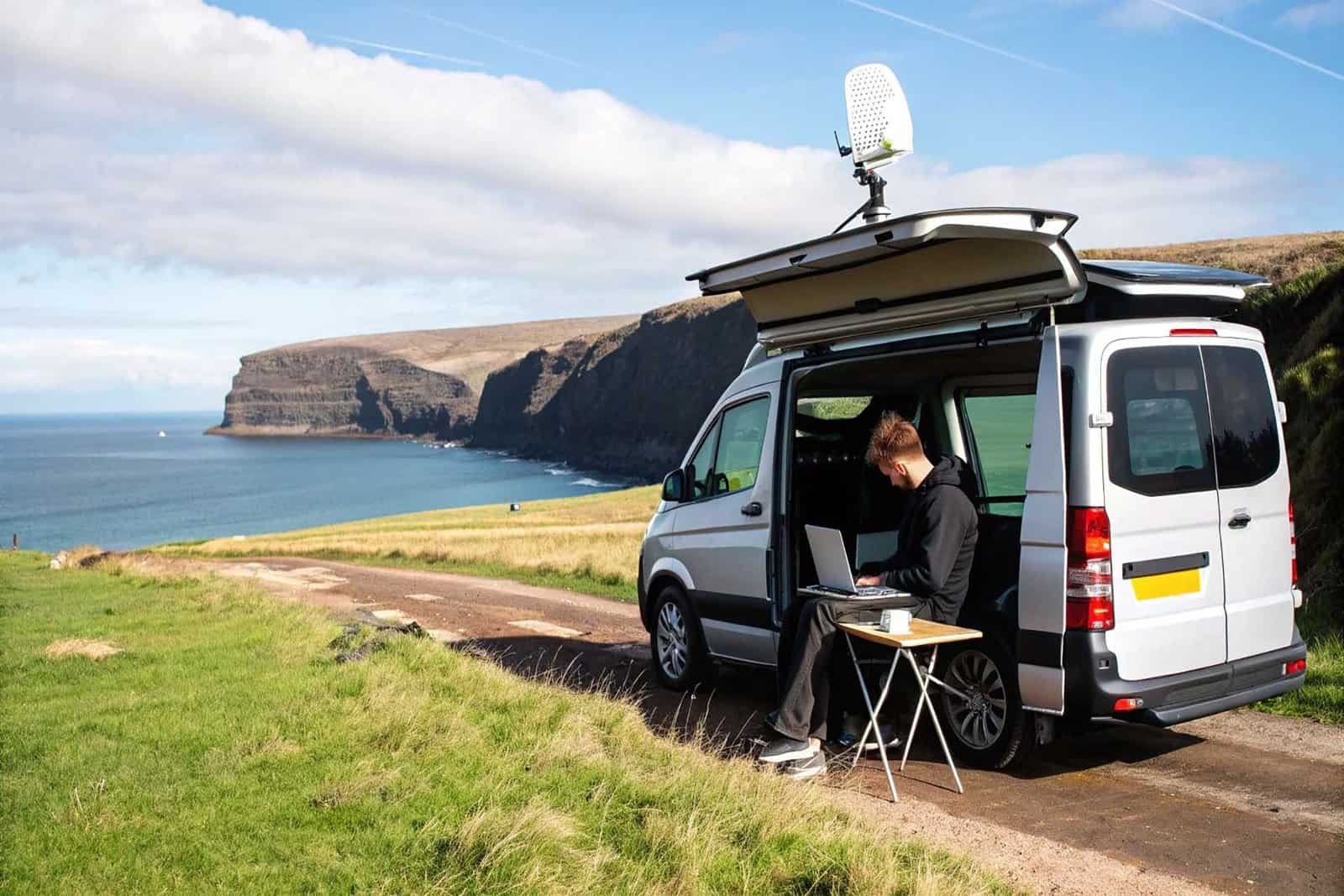
Forget the glossy social media posts for a second. The reality of working from a van in the UK is less about idyllic sunsets and more about meticulous planning. But here’s the good news: it’s a completely practical and achievable lifestyle, built on a solid foundation of reliable power, consistent internet, and an ergonomic workspace.
So, Is Working Remotely From a Van in the UK Actually Realistic?
Absolutely. The dream of swapping a stuffy home office for the rolling hills of the Peak District or the Cornish coast is more attainable than ever. This isn’t just some niche fantasy anymore; it’s a direct result of a fundamental shift in UK work culture. The widespread adoption of remote work has dismantled the old-school requirement of being tethered to one location, opening the door for a new generation of digital nomads.
This isn’t just a feeling, either. The numbers back it up. In 2023, a staggering 44% of UK workers were doing some form of remote working, with 16% fully remote and 28% in hybrid setups. That’s a monumental leap from the pre-pandemic figure of just 12%. For anyone even thinking about van life, this statistic is huge – it proves that employers are more open to flexible arrangements than they’ve ever been.
The Three Pillars of a Successful Mobile Career
To turn this dream into a sustainable reality, you need to nail three non-negotiable pillars from the very start. Getting these right is the difference between a thriving mobile career and a frustrating, short-lived experiment that ends with you selling the van.
Reliable Off-Grid Power: Your entire professional life runs on electricity. A robust electrical system—usually involving leisure batteries, solar panels, and a decent inverter—is non-negotiable. It’s what keeps your laptop, router, and other gadgets charged without being chained to a campsite hook-up.
Consistent Internet Connectivity: A stable internet connection is your lifeline to clients, colleagues, and deadlines. Just relying on your phone’s hotspot is a recipe for disaster. You need a multi-layered approach using dedicated 4G/5G routers, and maybe even a signal booster, to stay online reliably.
An Ergonomic Workspace: Working from your bed might sound appealing for about a day, but it’s a fast track to back pain and burnout. A dedicated, comfortable, and ergonomic setup—even a simple one—is crucial for staying productive and sane during a full eight-hour workday.
By mastering these core components, you’re not just building a campervan; you’re creating a resilient and functional mobile office. This foundation is what allows you to manage professional expectations while fully embracing the freedom of the road. Success in van life working remotely UK is born from practicality, not just passion.
Before diving into the nitty-gritty of each pillar, let’s quickly summarise the core components you’ll be looking at. Think of this as your high-level shopping list for building a reliable mobile office.
Core Components for UK Van Life Remote Work
| Component | Key Consideration | Why It Matters |
|---|---|---|
| Leisure Battery System | Capacity (Ah) and type (AGM, Lithium) | This is your power bank. Insufficient capacity means you can’t work a full day without draining your system, especially on cloudy days. |
| Solar Panels & Controller | Wattage (W) and controller type (MPPT) | Your free power source. A good setup keeps your batteries topped up, giving you true off-grid independence without needing to run the engine. |
| Power Inverter | Wattage (W) and wave type (Pure Sine) | Converts your 12V battery power to 240V for your laptop charger and other standard plugs. A pure sine wave is crucial for protecting sensitive electronics. |
| Mobile Internet Router | 4G/5G capability, multiple SIM slots | A dedicated router provides a much stronger and more stable connection than a phone hotspot, and using two different network SIMs massively boosts coverage. |
| Ergonomic Seating & Desk | Adjustability and posture support | Prevents the neck, back, and shoulder pain that inevitably comes from hunching over a laptop on a bench seat for hours on end. |
| Task Lighting | Low power draw (LED), good positioning | Working in a dimly lit van causes eye strain. Good, low-wattage LED lighting allows you to work comfortably into the evening without hammering your battery. |
Getting these essentials right from the start saves a world of frustration (and money) down the line. Now, let’s break down how to choose the right gear for each of these critical areas.
Building Your Off-Grid Power and Heating System
Let’s be blunt: your entire remote working career in a van lives or dies by its power system. This isn’t a “nice-to-have” or something you can skimp on. For anyone serious about van life working remotely UK, a rock-solid electrical setup is the absolute foundation. We need to go beyond theory and build something that can handle a 9-5 workload, even during a miserable, grey British week.
The boom in this lifestyle is impossible to ignore. The number of registered campervans under 3.5 tonnes in the UK shot up by 21% in a single year, climbing from 282,139 at the end of 2022 to 341,455 by the close of 2023. This explosion, fuelled by the shift to remote work, shows a huge community of people just like you investing in proper off-grid systems to power their careers from anywhere.
It’s a simple flow: without reliable power, your internet router is just a plastic box. Without internet, your workspace is just a table. Each step is non-negotiable.
Calculating Your Daily Power Budget
Before you even think about browsing for solar panels, you need to do a power audit. Guessing your electricity needs is a fast track to dead batteries and awkward calls to your boss explaining why you’ve dropped off a meeting.
Grab a notepad and list every single electronic device you plan to use, for both work and daily life. Get specific.
- Work Laptop: Don’t just write “laptop.” Find the wattage on your charger (e.g., 65W) and realistically estimate how many hours a day it will be plugged in and charging.
- External Monitor: These are sneakily power-hungry, often pulling 20-40W.
- Mobile Router: A dedicated 4G/5G router is a constant, low-level drain, typically around 10-15W.
- LED Lights: Small, but they add up. Usually 5-10W per strip.
- Fridge: This is one of your biggest power consumers. It cycles on and off, so look for its average daily consumption, usually listed in Amp-hours (Ah).
- Water Pump & Phone Chargers: Tiny draws on their own, but they contribute to the total.
Once your list is complete, calculate the total daily Amp-hour (Ah) consumption. This number becomes your north star, dictating every decision you make from here on out. A thorough power audit is the single most important thing you can do to build a reliable system.
Choosing Your Core Electrical Components
With your power budget in hand, you can start shopping for the hardware. A solid system boils down to three key areas: storing power, generating power, and using that power.
Leisure Batteries
This is where you keep your juice. The main battle is between old-school Absorbent Glass Mat (AGM) batteries and modern Lithium Iron Phosphate (LiFePO4). While AGMs are cheaper upfront, Lithium is the only serious choice for full-time remote work.
Lithium is a game-changer. You can safely use about 90% of its capacity versus only 50% for an AGM. It will last for thousands of charge cycles instead of just hundreds, and it’s significantly lighter. For anyone depending on their van for their income, the long-term reliability of Lithium makes the initial cost well worth it.
Charging Sources: Solar and Alternator
Here in the UK, relying only on solar is a recipe for disaster. Our famously grey skies, especially in winter, mean you need more than one way to top up your batteries. A multi-pronged charging strategy isn’t optional; it’s essential for year-round power.
- Solar Panels: Size your solar array to comfortably replenish your daily usage on a half-decent day. For most work setups in the UK, a minimum of 300-400W is a realistic starting point.
- Battery-to-Battery (B2B) Charger: This is non-negotiable. A B2B charger uses your van’s alternator to pump charge into your leisure batteries safely and efficiently while you drive. It turns a two-hour drive to a new spot into a massive power boost.
Power Inverter
Your batteries supply 12V DC power, but your laptop charger and other standard plugs need 240V AC. The inverter is the bit of kit that makes this conversion happen. It is absolutely crucial to get a pure sine wave inverter. Cheaper “modified sine wave” versions produce messy power that can fry sensitive electronics like laptops and monitors over time. Don’t risk it.
For a much deeper dive into how all these components work together, check out our complete guide to campervan electrical systems.
Staying Warm: A UK Necessity
Finally, let’s talk heating. The UK’s damp, bone-chilling cold can turn a van into an unusable metal box very quickly. A reliable heater is critical for both comfort and productivity. The two main players are diesel and gas (LPG) heaters.
Diesel heaters have become the go-to for good reason. They tap directly into your van’s main fuel tank, which is incredibly convenient. They are also highly efficient and produce a very dry heat, which is a massive bonus for fighting condensation—a constant battle in our climate.
Gas heaters are often quieter and burn a bit cleaner. However, they can introduce more moisture into the air and mean you have to manage a separate fuel source (and find places to refill it). Whichever route you go down, make sure it’s installed properly with all the safety essentials, especially a carbon monoxide detector. Your ability to comfortably get through a cold, rainy work week depends on it.
Staying Connected with Reliable Internet on the Road
Once you’ve sorted your power, your next job is getting a solid link to the outside world. For anyone working from their van, a stable internet connection isn’t a luxury; it’s the absolute bedrock of your career.
Just tethering to your phone and hoping for the best is a classic rookie mistake. It’s a strategy that works right up until the moment it doesn’t—usually when you’re parked up in a remote Welsh valley with a critical deadline looming. Don’t let that be you.
Success in van life working remotely UK means building a proper, multi-layered connectivity setup. That means a primary system you can count on most days, and a bulletproof backup for when it inevitably gives up the ghost. Your goal is to make “can you hear me now?” a thing of the past.
Your Go-To Mobile Internet Setup
Let’s be clear: your phone’s hotspot is a backup plan, not your main gig. For a proper, full-time work setup, you need a dedicated mobile broadband router. These bits of kit are built to pull in a much stronger signal than your smartphone ever could, creating a reliable Wi-Fi network right there in your van.
The real game-changer, though, is pairing that router with an external antenna. Bolting a 4G/5G antenna to the roof of your van can be the difference between one flickering bar of unusable signal and a solid connection strong enough for video calls and beefy file uploads.
Think of it like this: your phone’s internal antenna is a small handheld torch, while a dedicated router with a roof-mounted antenna is a powerful spotlight. Both produce light, but one can cut through the darkness far more effectively, turning a weak signal into a workable one.
For a deep dive into the specific hardware that works, our guide on choosing the best portable Wi-Fi for campervans breaks down all the options I’ve tested.
Choosing the Right UK Mobile Networks
Out here on the road, not all mobile networks are created equal, especially once you leave the city limits. A smart connectivity strategy involves having SIM cards from at least two different network providers. This redundancy is your safety net.
- EE: Generally has the best reputation for extensive rural 4G coverage across the UK. It’s the primary choice for a lot of vanlifers for good reason.
- Vodafone: A very strong contender, often plugging the gaps in rural spots where other networks just give up.
- Three: Brilliant for its competitive data deals and solid 5G in towns, but its rural 4G can be a bit hit-and-miss.
- O2: Shares a lot of infrastructure with Vodafone, offering good overall coverage. It’s always worth checking their specific coverage maps, though.
Many of the better mobile routers come with dual SIM slots, which is an absolute godsend. They can automatically switch to the network with the stronger signal, meaning you stay online without having to do a thing.
The Rise of Satellite Internet for Total Freedom
For those who need a guaranteed connection in the most far-flung corners of the UK—we’re talking the Scottish Highlands or deep inside a National Park—mobile data sometimes just won’t cut it. This is where satellite internet, and specifically Starlink, has completely changed the game for digital nomads.
Starlink uses a small satellite dish (lovingly nicknamed “Dishy”) that you pop outside your van with a clear view of the sky. It delivers high-speed, low-latency internet pretty much anywhere, completely bypassing the need for mobile phone masts. But it’s not without its trade-offs.
The initial hardware cost is steep, and the monthly subscription is a fair bit more than a mobile data plan. It’s also thirsty for power, so you’ll need a robust electrical system to keep it running, especially on those grey British days. It’s worth reading up on how Starlink as a leading rural internet option is viewed in other remote parts of the world to get a full picture of its capabilities.
Comparing UK Mobile Internet Solutions for Van Life
Choosing your setup can feel overwhelming, so I’ve broken down the main options based on years of trial and error on UK roads. This table should help you figure out where to put your money.
| Solution | Best For | Typical Cost | Pros | Cons |
|---|---|---|---|---|
| Phone Hotspot Only | Emergencies or very casual users who stay in cities. | Included in your phone plan. | Simple, no extra hardware. | Unreliable signal, drains phone battery, not a professional solution. |
| 4G/5G Router + SIM | Most weekend warriors and part-time remote workers. | £150-£300 for router, £20-£35/month for data. | More stable than a phone, creates a dedicated Wi-Fi network. | Still dependent on mobile signal, can be weak without an antenna. |
| Router + Roof Antenna | Full-time remote workers needing a reliable primary setup. | £300-£600 for hardware, £25-£40/month for data. | Dramatically improves weak signals, very reliable, professional grade. | Requires drilling your roof, higher initial cost. |
| Dual SIM Router | Anyone who can’t afford to be offline, especially in rural areas. | £350-£700 for hardware, £40-£60/month for two SIMs. | Automatic network switching provides excellent redundancy. | Most expensive mobile data option, complex to set up. |
| Starlink Satellite | Digital nomads needing guaranteed connection in the most remote spots. | £450 initial hardware, £85/month subscription. | Works almost anywhere, high speeds, independent of mobile masts. | High cost, significant power draw, requires a clear view of the sky. |
Ultimately, the combination of a good 4G/5G router, a roof-mounted antenna, and SIM cards from two different networks is the sweet spot for most serious remote workers in the UK. It offers the best balance of reliability, cost, and practicality.
Practical Tips for Staying Online
Having the right gear is only half the battle; using it smartly is what keeps you connected.
- Scout Ahead with Signal Apps: Before you even think about setting up camp, use apps like OpenSignal or the official Ofcom mobile coverage checker. These give you real-world data on which networks are strongest in that specific location. Don’t trust the network’s own maps—they’re always optimistic.
- Always Have a Wi-Fi Backup: Sometimes you just need a guaranteed, fast connection for a massive upload or a critical meeting. Scout out local libraries, cafes, or even pubs with free Wi-Fi in the areas you plan to visit. It’s your ultimate safety net.
- Watch Your Data: Unlimited data plans are the dream, but if you’re on a capped plan, be vigilant. Use a data monitoring app to keep an eye on your usage. It’s easy to burn through gigabytes on video calls, so save those big downloads for when you’re on a free Wi-Fi network.
Right, you’ve got your power sorted and your internet signal is holding steady. The final piece of the remote working puzzle? Your actual workspace. This is the bit everyone romanticises – working from bed with a stunning view – and then immediately regrets a week later when their back starts screaming.
Hunching over a laptop is a fast track to burnout and physio bills. Trust me, creating a proper, ergonomic office within the tight confines of your van isn’t a luxury; it’s absolutely essential if you want to make van life working remotely UK a long-term reality. This isn’t about replicating a corporate office, but about smart, space-saving design that lets you get through a full workday without wrecking your body.
Core Principles of Van Ergonomics
Before you start building anything, let’s get the basics right. The goal is to set up a workspace where you can sit for hours without physical strain. The core principles are surprisingly simple, even in a van.
- Screen at Eye Level: Your laptop screen needs to be positioned so the top of it is at or just below your eye level. This simple adjustment stops you from craning your neck forward like a tortoise.
- Neutral Wrists: When you’re typing, your wrists should be flat and straight, not bent up or down. This almost always means using an external keyboard and mouse.
- Supportive Seating: This is the big one. Your feet should be flat on the floor (or a box, or a footrest) and your back needs proper support. Standard van bench seats are notoriously terrible for this.
Smart Layouts for Small Spaces
Van life is all about multi-functionality. Your office will probably need to vanish when it’s time to cook or sleep. Here are a couple of tried-and-tested approaches that actually work.
The Swivel Seat and Lagun Table Combo
This is probably the most popular setup, and for good reason. It cleverly uses the van’s existing cab seats, which are almost always more comfortable and ergonomic than anything you can build in the back.
- Install a Swivel Base: You can fit a swivel base to both the driver and passenger seats, allowing them to spin 180 degrees and face your living area.
- Mount a Lagun Table: The Lagun table mount is a genius bit of kit. It’s a super sturdy, fully adjustable arm that you can position exactly where you need your desk. When you’re done, it just swings out of the way or lifts off completely.
This combo gives you a dedicated, comfortable office that takes up zero permanent living space. It’s a game-changer.
The Fixed Desk Area
If you’ve got a bit more room to play with, perhaps in a longer wheelbase van, a small, fixed desk can be a great option. It provides a more stable and permanent work surface.
You can build a simple desk over a wheel arch or create a fold-down work surface that locks flat against a wall when you’re not using it.
A crucial tip for any fixed desk: think about the view. Positioning your workspace so you can look out a window gives you natural light and, just as importantly, helps reduce eye strain by letting you focus on distant objects every now and then.
Essential Gear for a Productive Van Office
Beyond the desk and chair, a few bits of gear will elevate your workspace from a makeshift pain-in-the-neck to a proper mobile office.
- Laptop Stand: A simple, collapsible stand is non-negotiable. It’s the only way to get your screen up to eye level without a stack of books.
- External Keyboard and Mouse: These are key for getting your hands and wrists into a comfortable, neutral position and preventing repetitive strain injuries. Go for wireless Bluetooth models to keep cable clutter to a minimum.
- Smart Cable Management: The mess of charging cables is inevitable. Tame it with adhesive cable clips, zip ties, or flexible conduit. A tidy space really does help you think more clearly.
- Good Task Lighting: Don’t rely on the main ceiling lights; it’s a one-way ticket to eye strain. A small, adjustable USB-powered LED lamp will give you focused light right where you need it without hammering your leisure battery.
By combining a clever layout with the right accessories, you can build a mobile office that’s just as comfortable and productive as a traditional one. It’s what makes a remote career on the road truly sustainable.
The Reality of Parking and Staying Secure in the UK
Let’s be honest, finding somewhere safe, legal, and quiet to park your van every night is the single biggest daily challenge of working on the road. This isn’t about scoring that perfect, Instagram-worthy cliff-top spot every time. It’s about the gritty, practical art of staying under the radar, respecting your surroundings, and not getting a knock on the window at 2 AM.
And the pressure is growing. The whole remote work boom has pulled a lot of people out of cities, with recent research showing remote workers are way more likely to move to the countryside. This trend directly fuels the competition for those quiet rural spots we all love.
Understanding UK Wild Camping Laws
The rules around “wild camping” in a van are a proper grey area, changing depending on where you are in the UK. Getting this wrong is the fastest way to get moved on, so knowing the basics is non-negotiable.
- England and Wales: Technically, wild camping without the landowner’s explicit permission is illegal. In reality, it’s often tolerated in many rural car parks and lay-bys, but only if you follow the unwritten rules: arrive late, leave early, and leave absolutely no trace.
- Scotland: A lot of people get this wrong. The Land Reform (Scotland) Act 2003 gives you the “right to roam,” but this right absolutely does not apply to motorised vehicles. It’s a common myth. Same as in England, you need the landowner’s permission, though you’ll find plenty of tolerated spots, especially along routes like the NC500.
The golden rule is simple: be respectful, be discreet, and be ready to move on without a fuss if you’re asked. Your behaviour reflects on the entire van life community and determines whether these unofficial spots stay open for the next person.
Mastering Parking with Apps and Local Knowledge
Spontaneity is part of the appeal, but having a solid plan for where you’re sleeping takes a huge amount of stress out of the day. This is where you lean on the community.
park4night is pretty much the bible for UK vanlifers. It’s a massive, crowd-sourced map showing everything from proper campsites and pub stopovers to unofficial lay-bys and forestry car parks. The key is to ignore the main description and read the most recent comments. That’s where you’ll find the real-time info on whether a spot is still okay or has new restrictions.
Beyond the apps, just use your eyes and pay attention to signage. A lot of councils, especially in tourist hotspots, have brought in Public Space Protection Orders (PSPOs) that explicitly ban overnight sleeping in vehicles. Always look for those “No Overnight Parking” signs, particularly in places like Cornwall and the Lake District.
Urban Stealth Camping and Security
Trying to work from a city brings a completely different set of challenges. This is where you need to master “stealth camping.” The entire game is about blending in so your van looks like just another parked work vehicle. That means zero external gear, discreet curtains, and keeping a very low profile.
Security in cities is something you cannot afford to skimp on. Your van is your home and your office, often with thousands of pounds worth of tech inside. Relying on the flimsy factory locks that came with the van is a disaster waiting to happen.
- Physical Deterrents: Decent deadlocks or hook locks on your cab and habitation doors are a huge visual and physical deterrent. They scream “this is not an easy target.”
- Alarms and Trackers: A proper loud alarm will send most opportunistic thieves running, while a hidden GPS tracker massively boosts your chances of getting your van back if the worst happens.
Investing in proper security gives you the peace of mind to actually focus on your work day. For a much more detailed breakdown of what actually works, check out our guide to campervan security and safety—it’s full of real-world advice for protecting your mobile office.
Got Questions About UK Van Life? Let’s Get Real.
Diving into van life is one thing, but trying to hold down a job from the road? That brings a whole new set of questions. We’ve covered the big stuff like power and internet, but it’s the day-to-day practicalities that often trip people up.
Let’s cut through the noise. Here are the straight-up, no-nonsense answers to the questions I get asked most about working from a van in the UK.
The Golden Question: How Much Does This Actually Cost Per Month?
Honestly? It’s a massive “how long is a piece of string?” question. But if you’re looking for a ballpark figure, a solo traveller can realistically live on a monthly budget between £800 and £1,500. Where you fall in that range depends entirely on how you travel.
The biggest mindset shift from living in a flat is that your main variable cost switches from rent to fuel. If you find a killer spot and don’t move for a week, your costs plummet. Decide you want to drive from the Cornish coast to the Scottish Highlands in a month? Your fuel bill is going to be eye-watering.
Here’s a rough monthly breakdown to get you started:
- Fuel: The big one. Could be £100 if you’re stationary, or £400+ if you’re covering serious miles.
- Insurance: Budget £50 to £100 a month for decent van and contents cover.
- Mobile Data: For a reliable connection, expect to spend £20 to £50 on one or two high-data SIM cards.
- Food: This is completely personal, but £200 to £350 is a pretty standard range.
- Gas (LPG): For your hob and heater, you’ll likely spend around £20 to £40.
- Contingency Fund: This isn’t optional. Set aside at least £100 for maintenance, laundry, the odd campsite, and all the other unexpected bits.
My best advice? Track every single penny for your first three months. It’s the only way to get a brutally honest picture of your personal spending habits and build a budget that actually works for you, not one you’ve copied from a YouTuber.
What Are the Toughest Parts of Working From a Van in the UK?
The freedom is incredible, but let’s not pretend it’s all sunshine and scenic lay-bys. This lifestyle comes with a few persistent challenges you just have to learn to manage.
The big three that come up time and time again are:
- The Internet Hunt: Getting a stable connection, especially in the stunningly remote places you’ll want to be, can be a real battle. This is precisely why a proper setup with a roof antenna and multiple network SIMs is non-negotiable for serious work.
- Fighting the British Weather: Our climate is a proper test. Condensation, damp, and the relentless, soul-sapping cold can be mentally and physically draining without top-notch insulation and a heater you can rely on.
- The Daily Parking Puzzle: The constant low-level stress of finding somewhere safe, legal, and quiet to park for the night can become a real chore. This mental load is an often-overlooked reality of the lifestyle.
There’s another one, too, that people don’t talk about enough: decision fatigue. In a house, life is on autopilot. In a van, you are constantly thinking—about your power levels, your water supply, where you’re going to sleep tonight, and your next move. It can be surprisingly exhausting.
Can I Just Use My Normal Work Laptop?
Absolutely. Your standard work laptop is more than capable. You don’t need some special ruggedised machine to make this work. Success comes down to the system you build around the laptop.
Your focus should be on three things. First, a power source you can trust. That means a leisure battery system that can easily handle your laptop’s daily thirst for power without you constantly worrying about running flat.
Second, a rock-solid internet connection. As we’ve already covered, just tethering to your phone is a rookie mistake that will end in frustration.
Finally, think about your body. Ergonomics are crucial if you plan on doing this for more than a few weeks. Hunching over your laptop on the bed is a fast track to back pain. A proper table and a supportive seat are critical.
Pro Tip: Get a 12V charger for your laptop (it looks like a car charger). It’s far more energy-efficient than plugging your normal charger into a 240V inverter. You avoid the power loss that happens when converting from 12V DC to 240V AC and back again, which saves precious battery life.
How Do You Handle Mail, Banking, and a Legal Address?
This is one of the most critical bits of admin to sort before you even turn the key. In the UK, you legally need a fixed address for almost everything official, and a PO Box won’t cut it.
For the big stuff—driving licence, vehicle registration (V5C), banking, insurance—the go-to solution is using the address of a trusted family member or close friend. This needs to be a solid, long-term arrangement. That address is your legal anchor.
For day-to-day parcels and general mail, a virtual address service like UK Postbox is a game-changer. They give you a real street address, scan your mail so you can read it online, and forward important items wherever you need them. While most banking is online now, having that fixed “base” address is non-negotiable for your legal and financial life in the UK.
At The Feral Way, we believe a successful life on the road is built on practical knowledge and real-world experience, not just pretty pictures. From detailed electrical guides to honest gear reviews, we provide the no-nonsense resources you need to build a campervan that truly works for you. Explore our full range of guides and articles at https://www.theferalway.com and start your journey with confidence.